Seed Phrase sicher speichern: Warum lokale Speicherung in der OKX Wallet Ihre Private Keys schützt

Ein Nutzer hat kürzlich ein Bitcoin-Vermögen erworben, möchte es aber nicht auf einer zentralisierten Börse lagern. Die offensichtliche Alternative ist eine Selbstverwahrte Wallet, in der der Nutzer die vollständige Kontrolle über seine Private Keys behält. Doch diese Kontrolle kommt mit einer entscheidenden Verantwortung: Die Verwaltung der Seed Phrase, jenes kryptographischen Schlüssels, der den Zugriff auf alle verwalteten Vermögenswerte gewährleistet. Eine Seed Phrase in einen Cloud-Speicher hochzuladen, per E-Mail zu versenden oder gar auf einem Smartphone ohne Schutzmaßnahmen zu speichern, bedeutet, diese Verantwortung aufzugeben und das Vermögen potenzieller Diebstahl auszusetzen.

Die OKX Web3 Wallet unterscheidet sich von vielen konkurrierenden Lösungen dadurch, dass sie lokale Speicherung der Seed Phrase auf dem Gerät des Nutzers standardmäßig vorsieht. Das bedeutet nicht, dass die Phrase automatisch sicher ist. Vielmehr schafft diese Architektur erst die notwendige Grundlage, damit ein informierter Nutzer echte Kontrolle ausüben kann. Lokale Speicherung allein schützt nicht vor Phishing, Malware oder schlecht gewählten PIN-Codes. Sie verhindert aber ein großes Risiko: dass ein externer Dritter – sei es der Wallet-Provider selbst, ein Cloud-Anbieter oder ein Hacker auf deren Servern – Zugriff auf den Schlüssel erhält.

OKX Web3 Wallet Interface mit lokaler Seed-Phrase-Verwaltung und Multi-Chain-Unterstützung für über 130 Blockchains

Lokale Speicherung versus Cloud-Speicherung: Ein grundlegender Sicherheitsunterschied

Der Unterschied zwischen lokaler und Cloud-Speicherung ist nicht nur ein technisches Detail. Er bestimmt, wer theoretisch Zugriff auf die sensiblesten Daten hat. Bei Cloud-basierter Speicherung vertraut der Nutzer darauf, dass Google Drive, iCloud, Dropbox oder OneDrive die Seed Phrase oder einen privaten Schlüssel kryptographisch verschlüsseln und nur autorisierte Zugriffe gestatten. Doch selbst wenn die Verschlüsselung mathematisch solide ist, entstehen neue Angriffsflächen: Sicherheitslücken im Cloud-Dienst, kompromittierte Konten, Insider-Bedrohungen bei den Cloud-Providern und mögliche Anfragen von Behörden.

Lokale Speicherung bedeutet, dass die Seed Phrase nur auf dem physischen Gerät des Nutzers existiert – auf dem Smartphone, dem Computer oder einem Hardware-Wallet. Der Cloud-Provider hat nie Zugriff, weil die Daten nie seine Systeme verlassen. Das Risiko wird konzentriert: Es hängt ab von der Sicherheit des Geräts selbst, dem Betriebssystem, dem Schutz durch einen PIN oder eine Biometrie und der physischen Sicherheit des Geräts. Das sind zwar weiterhin Real-Risiken, aber sie sind begrenzt und unter der direkten Kontrolle des Nutzers.

Die OKX Web3 Wallet implementiert lokale Speicherung auf Android und iOS durch Verschlüsselung mit gerätelokalem Speicher. Das bedeutet, dass selbst wenn jemand Zugriff auf das Smartphone erhält, die Seed Phrase durch mehrere Schutzschichten geschützt ist: das Telefon-Passwort oder die Biometrie, die Wallet-PIN und die lokale Verschlüsselung. Ein Angreifer müsste alle Schritte überwinden, um die Phrase zu extrahieren – ein deutlich höherer Aufwand als das Hacken eines Cloud-Accounts, der möglicherweise mit einem einfachen Passwort geschützt ist.

Wie Seed Phrases generiert werden und warum die Generierung vor Ort zählt

Eine Seed Phrase wird typischerweise als eine zufällig gewählte Abfolge von Worten generiert, die nach dem BIP39-Standard (Bitcoin Improvement Proposal 39) strukturiert sind. Diese 12, 18 oder 24 Wörter werden durchgehend kombiniert, um einen Root-Schlüssel zu erzeugen, von dem alle Private Keys für verschiedene Blockchains und Adressen mathematisch abgeleitet werden können. Wenn eine zentrale Stelle die Seed Phrase generiert und an den Nutzer überträgt, besteht ein Moment der Anfälligkeit: Die Phrase existiert auf dem Server des Generators, wird übertragen und kommt beim Nutzer an. An jedem dieser Punkte könnte ein Angreifer oder ein bösartiger Angestellter die Phrase kopieren.

Die OKX Web3 Wallet generiert die Seed Phrase lokal auf dem Gerät des Nutzers, nicht auf zentralen Servern. Das ist ein wichtiger Unterschied. Der Zufallsprozess findet auf dem Smartphone oder Browser statt, wo auch die Verschlüsselung und Speicherung ablaufen. Niemand außer dem Nutzer erhält die Phrase unverschlüsselt zu Gesicht. Dieser lokale Prozess ist nicht wasserdicht gegen jeden Angriff – ein Gerät mit installiertem Spyware kann immer noch den generierenden Prozess beobachten – aber er schließt ganze Kategorien von Risiken aus, etwa das Abhöfen von Übertragungen oder den Datenraub von zentralen Systemen.

Ein Nutzer, der eine neue Wallet erstellt, sieht die Seed Phrase genau einmal, unmittelbar nach der Generierung. Die Wallet fordert sofort dazu auf, diese Phrase zu notieren oder in einen Offline-Speicher zu schreiben. Dieser Moment ist kritisch: Der Nutzer muss entscheiden, wo er die Phrase ablegt und wie er sie vor unbefugtem Zugriff schützt. Lokale Speicherung in der Wallet selbst bietet keinen Schutz vor Geräteverlust oder Zerstörung – deshalb ist das externe Backup unumgänglich.

Best Practices für die Aufbewahrung der Seed Phrase: Offline ist nicht genug

Die klassische Empfehlung, die Seed Phrase auf Papier zu schreiben und in einen Safe zu legen, bietet echte Schutzvorteile: Sie ist offline, nicht digital kopierbar und nicht anfällig für Malware. Doch diese Methode hat auch Schwachstellen. Papier kann verblassen, es kann bei Bränden oder Wasserschäden zerstört werden, und die physische Sicherheit hängt davon ab, dass der Safe nicht gefunden oder aufgebrochen wird. Wer das Papier an mehreren Orten lagert, um gegen Totalverlust zu sichern, multipliziert das Risiko, dass ein Angreifer es findet.

Eine bessere Praxis ist die Aufteilung nach geografischen und physischen Kriterien. Ein bewährtes Schema ist, die Seed Phrase in mehrere Teile zu zerlegen und in unterschiedliche, sichere Orte zu lagern. Dies nennt sich Shamir’s Secret Sharing oder ein ähnliches Schwellenwertschema. Mit einer 24-Wort-Phrase könnte beispielsweise der Nutzer die ersten 8 Wörter im Haus im Safe lagern, die nächsten 8 Wörter in einem Bankschließfach und die letzten 8 Wörter bei einem vertrauenswürdigen Freund oder Familienmitglied, wobei dieser nicht weiß, was er aufbewahrt. Ein Angreifer müsste Zugriff auf alle drei Standorte haben, um die Phrase zu rekonstruieren.

Metallplättchen oder spezialisierte Seed-Phrase-Speichermedien aus Stahl bieten eine weitere Alternative. Sie sind resistent gegen Feuer, Wasser und chemische Korrosion und können Jahrzehnte unverändert lagern. Die OKX Web3 Wallet selbst speichert die Phrase lokal auf dem Gerät, aber ein sicheres Offline-Backup auf einem physischen Medium ist dennoch essentiell. Ein Smartphone kann gestohlen, beschädigt oder verloren gehen; das physische Backup ist dann der einzige Wiederherstellungsweg.

Das Risiko lokaler Speicherung: Gerätekompromiß und Phishing

Lokale Speicherung schützt nicht vor allen Bedrohungen. Wenn das Gerät selbst kompromittiert ist – durch Malware, einen Keylogger oder Spyware – kann die Seed Phrase extrahiert werden, unabhängig davon, wie gut sie verschlüsselt ist. Auf Android und iOS gibt es Sicherheitsmechanismen wie das Trusted Execution Environment (TEE) und die Secure Enclave, die kritische Operationen in isolierten Bereichen durchführen. Eine OKX Web3 Wallet nutzt diese Systeme, um private Schlüssel vor dem Zugriff durch den normalen Betriebssystem-Kernel zu schützen. Doch kein Sicherheitssystem ist perfekt: Zero-Day-Exploits, Bootloader-Schwachstellen oder physische Angriffe können theoretisch durchgeführt werden.

Ein subtileres Risiko ist Phishing. Ein Nutzer kann getäuscht werden, seine Seed Phrase auf einer gefälschten Website einzugeben oder in einer bösartigen App zu spiegeln. Lokale Speicherung bedeutet dann nichts, wenn der Nutzer die Phrase freiwillig an einen Angreifer weitergibt. Die Wallet-Software selbst wird dies nicht tun – sie wird niemals nach der Seed Phrase fragen, wenn sie einmal gespeichert ist. Aber ein Phishing-Link könnte zu einer täuschend ähnlichen Oberfläche führen, die genau das tut. Das Abwehrmittel ist Aufmerksamkeit und Verifikation: Wallet-Seiten und Apps sollten nur aus offiziellen Quellen heruntergeladen werden, etwa vom App Store, von sites.google.com/kryptowallets.app/okx-wallet-extension-app, oder aus dem Play Store.

Ein weiterer Schutz ist die PIN oder das Passwort, das die Wallet beim Zugriff verlangt. Wenn dieses PIN nicht stark ist oder leicht zu erraten – etwa „1234″ oder das Geburtsdatum – kann ein Angreifer, der physischen Zugriff auf das Gerät hat, die Wallet in Sekunden entsperren. Eine starke PIN mit mindestens sechs zufälligen Ziffern oder ein starkes Passwort erhöhen den Aufwand erheblich. Noch besser ist die Aktivierung von Biometrie (Fingerabdruck, Gesichtserkennungserkennung), sofern das Gerät dies unterstützt, kombiniert mit einer fallback PIN für Situationen, wenn die Biometrie nicht funktioniert.

Wiederherstellung und der Moment der höchsten Vulnerabilität

Der kritischste Moment für die Seed Phrase ist nicht die Speicherung, sondern die Wiederherstellung. Wenn ein Nutzer sein Gerät verliert oder austauscht, muss er seine Wallet wiederherstellen, indem er die Seed Phrase eingibt. Dies ist der Moment, in dem die Phrase wieder in digitaler Form auf dem Gerät existiert – anfällig für Schulterschau, Screenshot-Malware oder man-in-the-middle-Angriffe. Einige Best Practices mindern dieses Risiko:

Erstens sollte die Wiederherstellung in einer kontrollierten Umgebung stattfinden, idealerweise zuhause mit einem sauberen Gerät und ohne Zuschauer. Zweitens ist es klug, vor der Wiederherstellung zu überprüfen, dass man die richtige App installiert hat – durch einen Abgleich von Hashes, durch Überprüfung der Entwickler-Signatur oder durch Herunterladung von einer verifizierten URL. Drittens sollte man nach der Wiederherstellung sofort überprüfen, dass alle Adressen korrekt sind und das erwartete Vermögen angezeigt wird. Eine manipulierte Wallet könnte eine falsche Adresse zeigen, um Transfers abzufangen.

Die OKX Web3 Wallet zeigt die öffentlichen Adressen nach der Wiederherstellung an, so dass der Nutzer überprüfen kann, ob alles stimmt. Dies ist ein Schutzmechanismus: Wenn die Adressen nicht mit den erwarteten Adressen übereinstimmen, ist etwas falsch gelaufen oder die Wallet wurde manipuliert. Ein Nutzer, der mehrere Adressen auf seiner alten Wallet hatte, kann überprüfen, dass die erste abgeleitete Adresse identisch ist und damit bestätigen, dass die Wiederherstellung erfolgreich war.

Multi-Chain-Verwaltung und lokale Speicherung: Erhöhte Komplexität, gleiches Sicherheitsprinzip

Die OKX Web3 Wallet unterstützt über 130 Blockchains, einschließlich Bitcoin, Ethereum, Solana, Sui und vieler Layer-2-Netzwerke. Das bedeutet, dass eine einzelne Seed Phrase private Keys für Dutzende von verschiedenen Blockchains generiert. Aus mathematischer Sicht ist das möglich: Der BIP44-Standard beschreibt, wie man aus einer Master-Seed verschiedene coins und accounts ableitet. Aus Sicherheitssicht multipliziert sich aber das Risiko: Wenn die Seed Phrase kompromittiert wird, sind nicht nur Bitcoin betroffen, sondern auch alle anderen Assets auf allen unterstützten Ketten.

Dies unterstreicht noch mehr die Wichtigkeit des sicheren Offline-Backups. Eine single point of failure ist das Risiko hier: Die eine Seed Phrase kontrolliert Vermögenswerte im Wert möglicherweise von Millionen über viele Blockchains verteilt. Ein Nutzer mit erheblichen Holdings in verschiedenen Ketten sollte erwägen, die Seed Phrase noch stärker zu schützen als ein Nutzer mit kleineren Beträgen. Dies könnte bedeuten, dass das Offline-Backup an mehr als zwei Orten gelagert wird oder dass ein Hardware-Wallet verwendet wird, welches auch lokale Speicherung bietet, aber eine zusätzliche physische Barriere darstellt.

Die WalletConnect-Integration der OKX Web3 Wallet ermöglicht es auch, Hardware-Wallets wie Ledger oder Trezor zu verbinden, ohne die Seed Phrase jemals in die Wallet-Software zu eingeben. Der private Schlüssel bleibt auf dem Hardware-Device, während die OKX App nur die öffentliche Adresse sieht und Transaktionen zur Signierung an das Hardware-Device sendet. Dies ist ein höheres Sicherheitsmodell für Nutzer, die extrem hohe Vermögen halten oder eine Luftgap-Sicherheit bevorzugen.

Automatische Bestätigung und Seed-Phrase-Sicherheit: Vertrauen, aber auch prüfen

Ein Feature der OKX Web3 Wallet ist Auto Confirm, welches häufige Transaktionen automatisch unterzeichnet, ohne jedes Mal um Bestätigung zu fragen. Dies ist ein Komfortfeature, aber es interagiert direkt mit der Seed-Phrase-Sicherheit. Wenn diese Funktion aktiviert ist und die Wallet kompromittiert wird, könnten Transaktionen automatisch ausgeführt werden, ohne dass der Nutzer es merkt. Daher sollte Auto Confirm nur für geringe Beträge oder in kontrollierten Kontexten aktiviert werden, und für größere Transaktionen sollte die manuelle Bestätigung erzwungen werden.

Die dezentralisierte Transaktionssignierung ist ebenfalls wichtig: Die Wallet signiert Transaktionen lokal auf dem Gerät, nicht auf Servern des Providers. Das bedeutet, dass der OKX-Provider die Transaktion nicht sehen oder verändern kann. Der private Schlüssel verlässt das Gerät nicht; nur die signierte Transaktion wird an die Blockchain übertragen. Dieses Modell schützt auch die Seed Phrase, weil der Provider nie Zugriff auf sie hat.

Monitoring und Notfallplanung: Was zu tun ist, wenn Verdacht auf Kompromittierung besteht

Selbst mit lokaler Speicherung und starken Passwörtern sollte ein Nutzer seine Wallet regelmäßig überwachen. Dies bedeutet, regelmäßig die Adressliste zu überprüfen und nach unerwarteten Transaktionen oder neuen Adressen zu suchen. Wenn ein Nutzer bemerkt, dass Vermögen fehlt oder dass neue, unbekannte Adressen in der Wallet existieren, deutet dies auf einen Sicherheitsverstoß hin.

In diesem Fall sollte sofort reagiert werden. Die erste Maßnahme ist, alle verbleibenden Vermögenswerte auf eine sichere neue Wallet oder ein Hardware-Wallet zu übertragen, sofern das Gerät immer noch unter der Kontrolle des Nutzers ist. Danach sollte die Seed Phrase als kompromittiert betrachtet werden und nicht mehr verwendet. Eine neue Wallet sollte mit einer neuen Seed Phrase erstellt werden, und die alte Phrase sollte als nicht sicher betrachtet werden. Wenn möglich, sollte auch das Gerät selbst bereinigt werden, indem es auf die Werkseinstellungen zurückgesetzt wird oder eine vollständige Neuinstallation des Betriebssystems durchgeführt wird.

Ein notwendiger Teil der Notfallplanung ist auch, klare Anweisungen für Erben oder Vertrauenspersonen zu hinterlassen, wie sie auf die Wallet zugreifen können, falls der Eigentümer verstirbt oder handlungsunfähig wird. Dies sollte nicht bedeuten, die Seed Phrase direkt zu hinterlassen – das wäre zu riskant. Stattdessen könnten versiegelte Umschläge mit verschlüsselten Anweisungen oder ein Notariatszeugnis, das im Tresor hinterlegt wird, ein Weg sein, um sicherzustellen, dass das Vermögen nicht verloren geht, während es nicht unkontrolliert zugänglich ist.

Häufig gestellte Fragen

Ist meine Seed Phrase in der OKX Web3 Wallet wirklich sicher, wenn sie lokal gespeichert wird?

Lokale Speicherung bedeutet, dass die Seed Phrase nicht an externe Server übertragen wird, was ein großes Risiko eliminiert. Allerdings ist das Gerät selbst noch anfällig für Malware, Phishing oder physische Diebstähle. Die echte Sicherheit hängt davon ab, dass das Gerät geschützt ist, eine starke PIN verwendet wird, und dass ein sicheres Offline-Backup erstellt wird. Lokale Speicherung schafft die notwendige Grundlage, aber es ist noch nicht ausreichend – es ist der Anfang, nicht das Ende der Sicherheitsarbeit.

Wie sollte ich mein Offline-Backup der Seed Phrase aufbewahren?

Die best practice ist, das Backup an einem sicheren, physischen Ort zu lagern, idealerweise offline und nicht digital. Dies könnte ein Bankschließfach, ein Haus-Safe oder ein Schließfach bei einem Anwalt sein. Für hohe Vermögenswerte ist es ratsam, das Backup in Teile aufzuteilen und an verschiedenen geografischen Orten zu lagern, so dass ein Angreifer mehrere Orte kompromittieren müsste, um die Phrase zu rekonstruieren. Papier kann verblassen, aber Stahlplättchen sind dauerhafter.

Was sollte ich tun, wenn mein Gerät gestohlen wird oder ich vermute, dass meine Wallet gehackt wurde?

Wenn das Gerät gestohlen wird, ist die Seed Phrase möglicherweise nicht sofort kompromittiert, besonders wenn eine starke PIN gesetzt ist. Überwachen Sie sofort alle Adressen und Konten auf unerwartete Transaktionen. Wenn Sie verdächtige Aktivitäten sehen, übertragen Sie sofort alle verbleibenden Vermögenswerte auf ein neues, sicheres Gerät oder Hardware-Wallet. Danach betrachten Sie die alte Seed Phrase als kompromittiert und verwenden Sie sie nicht mehr. Erstellen Sie eine neue Wallet mit einer neuen Seed Phrase.

Is a Trezor Desktop Wallet Really “Cold” If You Use It Every Day?

What exactly are you protecting when you move cryptocurrency into a hardware wallet: the coins, the password, or the decision-making process around both? That question matters because secure storage is often described too simply. A Trezor device can keep private keys offline, but the surrounding computer, software, browser session, and human user still influence whether a transaction is safe. Hardware is not a magic shield; it is one carefully designed boundary in a larger security system.

For US users managing digital assets through a desktop application, the useful distinction is between where a private key is stored and where a transaction is prepared. A hardware wallet is intended to keep the key inside the device while a desktop interface helps you view balances, select fees, and construct transactions. The device then signs the transaction without revealing the private key. Understanding that separation is more valuable than memorizing marketing phrases about “cold storage.”

The central misconception: offline keys do not mean an offline workflow

Cold storage generally means that the private key is kept away from an internet-connected environment. In the Trezor model, the device is designed so that the key does not leave the hardware wallet during normal signing. A desktop application can communicate with the device, but communication does not require exporting the secret itself. This reduces the damage that malware on the computer can cause.

That reduction is significant, but it has a boundary. A compromised computer may still alter the destination address or payment amount shown in the software. The hardware wallet’s security value therefore depends on what the user verifies on the device display before approving. If an attacker changes a recipient address and the user confirms without checking, offline key protection alone cannot correct the decision.

This creates a useful two-part mental model. The hardware protects the ability to authorize funds; the user must still verify what is being authorized. Security is therefore not simply “device versus hacker.” It is a chain involving the private key, the transaction details, the recovery backup, the desktop application, and the person pressing confirm.

What desktop Trezor software actually does

A desktop interface such as trezor suite is best understood as a control and observation layer. It can help users review account activity, prepare transfers, manage supported assets, and interact with the hardware wallet. The application makes a complex cryptographic process usable, but usability should not be confused with custody. The device remains the critical signing boundary only when the private key stays on it and the user follows the verification prompts.

Open-source design is relevant here because transparent code can be inspected, reviewed, and challenged by people beyond a single vendor’s internal team. That does not prove that every installation or future version is flawless. It does, however, improve the possibility of independent scrutiny compared with a system whose important components are entirely opaque. The recent emphasis on Trezor’s open-source security model and offline keys reinforces this architectural distinction rather than eliminating the need for cautious operation.

The desktop computer still has an important role. It can expose a user to phishing pages, fake update prompts, clipboard-changing malware, remote-access tools, and fraudulent support messages. These threats may not extract the private key, but they can attempt to manipulate the surrounding workflow. A hardware wallet changes the attacker’s objective: instead of stealing the secret directly, the attacker may try to trick the owner into approving an unintended action or revealing the recovery information.

The recovery seed is often the real single point of failure

Many newcomers focus intensely on protecting the device and neglect the recovery seed. That reverses the hierarchy. The seed is the backup that can recreate access to the accounts. Anyone who obtains it may be able to move funds without possessing the original device. Conversely, a lost or destroyed device may be recoverable if the backup has been stored correctly and remains private.

A recovery seed should not be typed into a website, desktop application, email, cloud drive, or support chat. It should not be photographed merely for convenience. The strongest operational principle is simple: the backup belongs in a controlled physical location, separated from routine computer use and protected from casual discovery. Paper can burn or degrade; metal may improve resilience against some physical hazards but does not solve theft or poor access control. Every storage method has a failure mode.

There is also a difficult trade-off between accessibility and secrecy. A backup hidden so well that the owner cannot find it during an emergency is not practically useful. A backup kept beside the device is easy to recover but easier for a visitor, burglar, or unauthorized family member to find. Good security is not the maximum of one property; it is a workable balance among confidentiality, durability, recoverability, and trusted access.

Verification beats blind trust

One of the most important habits is to treat the hardware wallet’s own screen as the final checkpoint. When sending funds, compare the address and amount displayed on the device with the intended recipient and transaction. Do not rely only on the computer monitor. The device screen is valuable because it provides an independent display path, although its usefulness depends on the user actually reading it.

This is especially important for large transfers, new recipients, and transactions involving unfamiliar networks or token contracts. A small test transaction can reduce uncertainty, but it is not a universal guarantee: an attacker could still interfere later, and network-specific mistakes can remain costly. The practical goal is not perfect certainty. It is to make high-impact errors harder to commit and easier to notice before approval.

Fee decisions deserve similar caution. A higher fee may improve inclusion during congestion, but it does not make an incorrect transaction correct. Nor does a hardware wallet reverse a transaction once it has been confirmed on a blockchain. The device helps control authorization; it does not provide chargebacks, identity recovery, or customer-service reversal in the way a traditional payment system sometimes can.

Where the model breaks down

A hardware wallet is not a complete defense against every category of risk. Phishing can persuade a user to enter a recovery seed. Social engineering can create urgency around a supposed account problem. A fake desktop installer can imitate legitimate software. Physical theft may expose the device to attempts at unauthorized access, while a stolen or destroyed backup can create a more serious long-term problem.

There is also a usability trade-off. More verification steps can slow down routine payments, and complicated recovery arrangements can cause users to improvise unsafe shortcuts. Security controls that are too burdensome may be bypassed. For that reason, a sensible setup should match the user’s real behavior: separate everyday spending from long-term holdings when appropriate, avoid keeping unnecessary balances connected to routine workflows, and establish a clear recovery plan before an emergency occurs.

Open-source software should be viewed with the same nuance. Transparency enables review and can expose weaknesses more effectively than secrecy alone, but open code is not automatically secure code. Users still need to obtain software through trustworthy channels, keep their operating system reasonably maintained, and be skeptical of unsolicited instructions. Reviewability is a security advantage; it is not a blanket warranty.

A practical risk-management framework

Before approving a transaction, ask four questions. Where is the private key? What exact action is being authorized? Which screen is the source of truth for the recipient and amount? What happens if the device, computer, or backup is lost tomorrow? These questions move the user from brand-based trust to process-based security.

For long-term holdings, the priority is usually recovery discipline and minimizing unnecessary exposure. For frequent transactions, the priority shifts toward address verification, software authenticity, and limiting the amount exposed to routine mistakes. For a household or small business, documented recovery procedures and carefully defined trusted access may matter as much as the device itself. The “best” configuration depends on the threat model, not merely on the wallet model.

Looking ahead, the meaningful signal is whether wallet software and hardware continue to make verification clearer without hiding important decisions behind convenience. If interfaces reduce ambiguity around addresses, networks, signing requests, and recovery warnings, users may make fewer costly errors. If convenience features encourage approval without inspection, the attack surface may shift from key extraction to consent manipulation. That is a conditional scenario, not a prediction, but it is the right question to watch.

Frequently Asked Questions

Does a Trezor device protect funds if my computer has malware?

It can substantially limit the damage because the private key is intended to remain on the device. However, malware may still alter transaction details or deceive you. Carefully verify the recipient address and amount on the hardware wallet before signing.

Is the recovery seed more important than the hardware wallet?

They serve different purposes, but the seed is the critical recovery secret. A stolen seed can compromise the accounts even without the device, while a lost device may be replaceable if the seed remains private, accurate, and safely stored.

Can desktop wallet software reverse a mistaken cryptocurrency transaction?

Usually no. Once a transaction is confirmed on a blockchain, it is generally not reversible through the wallet application. The main protection is prevention: confirm the details on the device and use extra care with unfamiliar recipients and networks.

The strongest conclusion is also the least dramatic: a hardware wallet does not remove trust from cryptocurrency security; it relocates and narrows it. You trust the device’s design, the software distribution process, the transaction display, your recovery procedures, and your own judgment. When those boundaries are understood, desktop management becomes more than a convenience. It becomes a deliberate system for reducing the consequences of both technical compromise and ordinary human error.

How secure is a Ledger Nano, really? A practical guide for users who demand maximum custody safety

What would it take for a motivated attacker to steal your private keys when you use a Ledger Nano, and where should you concentrate your defensive energy? That question reframes the typical device-vs-exchange debate into something operational: custody security is not a single product feature but an interaction among hardware, firmware, user practices, and recovery design. This article walks through the mechanisms that make Ledger devices (the Nano family and premium models) resilient, where they still depend on human choices, and how to trade usability against survivability in realistic U.S.-centered scenarios.

My goal is not to praise or dismiss a brand; it’s to explain how Ledger’s engineering choices shape real defenses, to correct common misconceptions about what a hardware wallet does and does not protect, and to give you a practical framework for decision-making: what to check, what to automate, and when to accept some managed risk.

Ledger Nano device photographed to show hardware form factor and e-ink screen; useful for understanding the physical verification surface and Secure Element-driven display.

What the device protects, and how — the core mechanisms

At the center of a Ledger device is a Secure Element (SE) chip with high-assurance evaluation (EAL5+ or EAL6+ class). The SE is a tamper-resistant microcontroller purposely designed to store secrets and execute cryptographic operations without exposing private keys to the host computer or phone. Practically, that means transaction signing happens inside the SE; the connected device (desktop or mobile) cannot extract the private key from the wallet.

Ledger staff have layered features around the SE that change the threat model. Ledger OS runs sandboxed apps so Bitcoin, Ethereum, and other coin logic are isolated; the device screen is driven directly by the SE so malware on a host cannot change what you see; and Clear Signing translates transaction content into human-readable elements on the physical screen to reduce blind-signing of malicious smart contracts. Those mechanisms convert broad attack vectors—host compromises, supply-chain tampering, faulty apps—into narrow checks the user can observe and act on.

Where human choices matter: setup, PINs, and backups

No hardware security anchor is effective if a user patterns their behavior in ways that reopen the system. Two decision points matter more than many users realize.

First, the PIN. Ledger uses a 4–8 digit PIN and enforces a factory reset after three incorrect attempts. That provides strong brute-force protection against an attacker who briefly obtains physical access to a device. But the protection assumes the PIN is secret and not easily guessable from social or contextual cues (birthdays, phone numbers, short repetitive codes). The reset is a double-edged sword: it defends the keys but raises the risk of accidental bricking if you forget or mistype your PIN repeatedly.

Second, the recovery workflow. Ledger produces a 24-word recovery phrase that is the canonical backup of your seed; retaining it safely is the only reliable way to recover funds if the device is lost or destroyed. Ledger additionally offers an optional subscription service, Ledger Recover, which encrypts and shards your recovery phrase into three fragments managed by independent providers. That product changes user risk in subtle ways: it reduces the single-point-of-failure of a paper seed but introduces an identity-based, custodial element (encrypted fragments stored with third parties), which carries different legal and operational trade-offs.

Trade-offs and boundary conditions: what a Ledger secures and what it does not

It is useful to separate three classes of compromise:

1) Extracting keys from the device: the SE and its closed-source firmware (a hybrid open-source strategy where companion apps are auditable but SE firmware remains proprietary) are explicitly intended to prevent key extraction. Established knowledge: SEs are highly resistant to physical attacks, and internal teams (Ledger Donjon) routinely probe for weaknesses. Remaining uncertainty: no hardware is impossible to attack; sophisticated lab-based techniques can, in principle, extract secrets if cost and motive justify the effort. For most personal users, the cost barrier is effective defense.

2) Approving malicious transactions (blind signing): Clear Signing and the SE-driven screen reduce the risk that a compromised host tricks you into signing a transaction you do not understand. But the system relies on the user reading and comprehending the on-device text. Complex DeFi calls can be encoded in ways that still prove confusing—this is an area where the security depends on user understanding and the maturity of the translation layer that produces human-readable summaries.

3) Recovery compromise and social engineering: the 24-word seed is a single point of failure when stored carelessly. Ledger Recover mitigates that by distributing encrypted fragments, but it trades a pure “air-gapped seed” model for a designed backup service that has central components (subscription, identity verification). For users keen on absolute self-sovereignty, a physical cold backup (metal plate, geographically diversified) combined with robust operational security may be preferred despite the inconvenience.

Practical heuristics: a decision-useful framework

Here are three heuristics to decide how to use a Ledger Nano based on threat profile and operational needs:

– If your primary concern is resistance to remote attacks and host compromise (malware on your PC or phone), prioritize the SE, firmware updates from trusted channels, and strictly verify on-device prompts. Ledger Live and companion apps are helpful but do not substitute for on-device confirmation.

– If physical theft by a motivated adversary is the main risk, enforce a strong, non-obvious PIN, store devices in secure locations, and prefer multi-device or multi-signature enterprise patterns when asset size justifies complexity. Ledger’s Enterprise offerings add hardware HSMs and multi-sig governance which materially raise the barrier for exfiltration.

– If loss or accidental destruction is the worry, combine a tested cold recovery procedure with a decision about third-party sharding: choose Ledger Recover (or equivalent) only after weighing the legal traceability and identity linkages it introduces. Test your recovery procedure on a small transfer first; many losses happen because users never verified their backups.

Operational steps you can do today (U.S. practicalities)

– Verify device provenance: buy devices from authorized retailers or directly, because supply-chain spoofing remains an initial attack vector.

– Keep firmware and Ledger Live up to date, but read release notes. Firmware patches often close critical issues; they also may change UX for transaction confirmation—so be ready to relearn important prompts.

– Practice clear signing discipline: pause and read device screens, learn the common parameter displays (amount, recipient, data field for smart contract calls) and when to escalate to a smaller test transaction. For DeFi interactions, pair your Ledger with a well-reviewed app interface and prefer readouts that map to the device’s Clear Signing output.

– Use metal seed backups and geographic diversity for large balances. A laminated paper seed stored in a wallet is convenient but vulnerable to fire, water, and casual theft.

What to watch next — conditional signals and implications

Recently (this week), Ledger highlighted integration with a Ledger Wallet app to better access DeFi and Web3 dApps while keeping signing on-device. This signals increasing pressure to balance ease-of-use with transactional clarity: as protocols become more complex, the translation layer that produces human-readable transaction summaries must keep pace. Watch for improvements in clear-signing translations and for third-party audit reports of those translation modules.

Also monitor the evolving legal and compliance environment around identity-linked recovery services. Services like Ledger Recover reduce user error but place encrypted fragments in custody-like arrangements; legal frameworks in the U.S. and elsewhere could change how providers handle court orders or data requests, which would materially affect the privacy trade-offs you accept.

FAQ

Does a Ledger Nano protect against all malware?

No. A Ledger Nano protects your private keys from extraction by malware on a connected host because signing happens inside the Secure Element. However, malware can still attempt to manipulate transaction details before they reach your device. That’s why the SE-driven display and Clear Signing matter: you must verify and approve the exact details on the physical screen. If you habitually approve without reading, malware can still cause a loss.

Is Ledger Recover safe — should I use it?

Ledger Recover reduces the risk of permanent loss by encrypting and sharding your recovery phrase with independent providers. It’s a pragmatic service for users worried about accidental loss, but it introduces identity-based elements and third-party involvement. If your priority is absolute minimization of third-party links, a tested offline metal backup is still the most self-sovereign option. The right choice depends on your risk tolerance and operational discipline.

What if my device is physically stolen—can the thief get my funds?

Physical theft alone is a limited threat because of the PIN and the factory-reset-after-three-wrong-attempts rule. A strong PIN and not writing it near your device are simple, high-impact defenses. Very sophisticated actors with lab resources could, in principle, attempt advanced extraction attacks, but that is beyond the risk profile for most retail users.

Should I trust closed-source firmware?

Ledger uses a hybrid model: companion apps and many developer APIs are open-source, but the Secure Element firmware remains closed to protect against reverse-engineering. This is a trade-off: more transparency can increase community trust, but it can also make potent attack techniques easier to discover and exploit. For many users, the combination of audited companion software, high-assurance SE hardware, and an active internal security team (Ledger Donjon) provides practical assurance; the remaining uncertainty is whether unknown class attacks on SEs could emerge.

Finally, if you want a concise next step: don’t treat a hardware wallet as a “set-and-forget” black box. Practice a recovery, read device prompts every time, and choose a backup model (self-custody metal seed, sharded recover service, or institutional multi-sig) that matches the size of your holdings and your personal tolerance for operational complexity. For a practical primer on Ledger devices, official workflows, and buying guidance, see this resource: ledger.

ChatGPT for Windows and macOS: What a Desktop Productivity Assistant Really Changes

At 9:12 on a Monday morning, a US project manager is working across a spreadsheet, an email thread, and a browser tab containing a technical error message. The task is not intellectually difficult, but it is fragmented: summarize the customer issue, turn the summary into a clear update, and ask an engineer what the error means. A conventional web search may answer one part at a time. A desktop AI assistant can provide a different kind of help by staying close to the material already on the screen.

That distinction matters. ChatGPT is often described as a writing or question-answering tool, but its practical value as a productivity assistant comes from reducing the distance between a person’s work and the act of asking for assistance. On Windows or macOS, users can bring files, images, screenshots, text, and coding problems into a conversation. The result is not an autonomous employee, and it is not a guarantee of correct work. It is better understood as a flexible reasoning interface: useful when the user supplies context, defines the desired outcome, and checks what comes back.

ChatGPT desktop assistant represented as a tool for analyzing work materials and supporting user decisions

The desktop advantage is reduced friction, not magical intelligence

The common misconception is that a desktop application must be substantially smarter than a browser version. The more defensible explanation is narrower and more useful: a desktop app can make access more immediate. A companion window and keyboard-based entry points allow a user to open ChatGPT without fully abandoning the task in progress. That small change can affect behavior. If asking for help requires copying material into a new tab, finding the right conversation, and reconstructing context, people may postpone the question. If the assistant is available beside the work, experimentation becomes easier.

This is a workflow advantage rather than a model-quality claim. The assistant still depends on the information it receives and on the quality of its reasoning. A desktop shortcut cannot resolve an ambiguous instruction, repair incomplete data, or make an uncertain answer authoritative. Its contribution is to shorten the path from “I am stuck” to “Here is the relevant material; help me examine it.” For recurring tasks, that lower friction can be more important than an additional feature on a product page.

For readers looking for the desktop version, the practical safety rule is straightforward: use official OpenAI or ChatGPT download pages, or a trusted app store, rather than third-party installers. A legitimate chatgpt app should not require a user to bypass normal operating-system warnings or install unrelated software. This is not merely housekeeping. Desktop installers have access to a computer’s local environment, so source verification is part of responsible AI use.

Files and screenshots turn conversation into an analytical workflow

Consider the project manager’s spreadsheet. Asking ChatGPT to “summarize this” may produce a readable overview, but a stronger workflow gives the assistant a defined role and a defined output: identify unusual changes, separate observations from hypotheses, and draft three questions for the next meeting. The same principle applies to a screenshot. A user might submit an image of an application error and ask what the visible message suggests, what information is missing, and which low-risk checks should come first.

The mechanism is important. Files and images act as working context, while the prompt specifies the transformation required. The assistant is not simply retrieving a fact; it is interpreting supplied material and reorganizing it into a form that supports a decision. This is why “summarize,” “compare,” and “explain” are often less effective than instructions that identify audience, scope, and uncertainty. A request such as “turn this technical note into a plain-English explanation for a nontechnical manager, retaining unresolved issues” gives the system a more constrained problem.

There is also a boundary that users should keep in view: visual or document analysis is not the same as verified comprehension. A screenshot may omit the surrounding application state. A spreadsheet may contain hidden assumptions, stale values, or formatting that carries meaning the assistant cannot reliably infer. Sensitive documents introduce an additional governance question: whether the user is permitted to upload the material and whether the account’s settings are appropriate for that use. Convenience should not quietly replace data-handling judgment.

Writing support is strongest when the human retains editorial control

ChatGPT can draft emails, reorganize notes, propose outlines, and change the tone of a passage. In a US workplace, that may mean converting a hurried internal message into a concise client update or turning meeting notes into an action list. The useful mental model is not “the assistant writes for me.” It is “the assistant generates candidate language that I evaluate.” This distinction protects the part of writing that software cannot reliably own: deciding what is true, relevant, fair, and appropriate for the audience.

A productive sequence often has three stages. First, ask for structure: themes, missing points, contradictions, or possible organization. Next, ask for a draft under explicit constraints, such as length, audience, and level of formality. Finally, inspect the result against the original material. This staged approach is more dependable than requesting a polished answer immediately because it exposes the reasoning task before the prose conceals it.

The trade-off is speed versus scrutiny. A fluent paragraph can create an illusion of accuracy, particularly when it contains plausible details that were not present in the source. For high-consequence work—legal, financial, medical, employment, or public communications—the assistant should support review rather than replace it. The smoother the output sounds, the more important it is to compare claims with the underlying evidence.

Coding assistance shows both the promise and the boundary

For developers, ChatGPT can explain unfamiliar code, draft a change, suggest debugging steps, and compare implementation choices. A desktop workflow is useful when a developer can place a code excerpt, error message, or screenshot beside the conversation and ask focused questions. Instead of treating the assistant as a code generator, it is often more productive to treat it as a second reader: someone—or rather, something—that can restate control flow, identify likely failure points, and propose tests.

That framing helps with a subtle risk. Code that looks coherent may still be wrong because the assistant lacks the full repository, runtime environment, dependency versions, security requirements, or product constraints. A proposed fix can solve the visible error while introducing a less visible problem. The practical safeguard is to ask for assumptions, edge cases, and tests, then run those tests in the appropriate development environment. The assistant can accelerate reasoning, but execution and verification remain external responsibilities.

This also explains why coding productivity is not measured only by how many lines are generated. If a suggestion helps a developer understand why a bug occurs, it may save more time than a large block of untested code. The durable gain is often improved diagnosis: narrowing the problem, choosing a sensible experiment, and making trade-offs explicit.

Voice and cross-device access change the rhythm of work

Desktop ChatGPT may support conversational voice interactions when the user’s account, device, region, and app version allow it. Voice can be useful when the hands are occupied, when a user wants to rehearse an explanation, or when thinking aloud helps reveal the structure of a problem. It is not automatically a better interface. Spoken exchanges can be harder to scan, quote, or audit, and a voice response may encourage rapid acceptance before the user has examined its assumptions.

Cross-device access creates a related benefit. A user might outline an idea on a phone, refine it on a Windows laptop, and review it later through another supported experience. Continuity can reduce duplicated effort, but it also increases the importance of knowing where information is being retained and which conversations are appropriate to continue across devices. Account plans, organizational controls, available models, tools, memory behavior, and connectors can vary. A feature visible to one user may not be available to another, even when both use ChatGPT.

A practical decision framework for using the assistant well

Before opening ChatGPT, classify the task along three dimensions: context, consequence, and reversibility. Context asks whether the assistant has the material needed to respond. Consequence asks how harmful an error would be. Reversibility asks whether a mistake can be corrected cheaply. Drafting alternative subject lines is usually low-consequence and reversible. Interpreting a sensitive contract or approving a production code change is neither.

For low-risk tasks, direct experimentation is reasonable. For consequential tasks, provide only appropriate information, state the intended role, request uncertainty and assumptions, and verify the output independently. A compact prompt pattern is: “Here is the material; here is the audience; here is the decision or transformation required; separate what is directly supported from what is inferred.” This makes the interaction more like a controlled analytical process and less like a request for an oracle.

The recent product framing of ChatGPT as a place to chat, work, create, and code reflects this convergence of workflows. It suggests a direction rather than proving a final outcome. If desktop access continues to bring writing, file analysis, image interpretation, voice, and coding into one working surface, the central competition may shift from individual features to context management. The important question will be whether users can move between tasks without losing control over source material, permissions, assumptions, and verification.

That future remains conditional. Better integration could make everyday work more coherent, but it could also make errors easier to propagate because the assistant is present at more stages of a process. The signal worth watching is not simply how many capabilities appear in the interface. It is whether the product helps users understand what information was used, what remains uncertain, and what action still requires human approval.

Frequently asked questions

Is ChatGPT for Windows or macOS a replacement for the web version?

It is better viewed as an additional access point. The desktop experience emphasizes quick keyboard access, a companion window, and assistance alongside active work. The exact tools, models, and controls available can depend on the user’s account, app version, device, region, and organization settings.

Can ChatGPT safely analyze any file or screenshot?

No. ChatGPT can analyze files, images, and screenshots supplied in a conversation, but users must consider sensitivity, permissions, missing context, and the cost of an incorrect interpretation. Upload only material that is appropriate for the account and task, and verify important conclusions against the original source.

What is the best way to use ChatGPT as a productivity assistant?

Give it relevant context, specify the desired output, identify the audience, and ask it to distinguish evidence from inference. Use it to structure problems, generate drafts, explain code, and suggest checks; retain human responsibility for factual review, judgment, approval, and execution.

Rabby installieren: Wie der Multi-Chain-Wallet Sicherheit in DeFi praktisch verbessert

Was nützt ein Wallet, das mehr als hundert Netzwerke unterstützt, wenn man vor jeder Transaktion trotzdem nicht weiß, was tatsächlich signiert wird? Genau hier liegt die entscheidende Frage beim Thema Rabby installieren. Ein Multi-Chain-Wallet ist nicht allein deshalb sicher, weil es viele Blockchains anzeigt oder Private Keys lokal verwaltet. Sicherheit entsteht erst durch eine verständliche Verbindung aus Selbstverwahrung, technischer Prüfung und diszipliniertem Nutzerverhalten.

Rabby wurde von DeBank als Non-Custodial-Wallet für DeFi-Anwendungen entwickelt und ist vor allem als Browser-Erweiterung für Chrome, Brave und Edge bekannt. Zusätzlich gibt es Desktop-Versionen für Windows und macOS sowie mobile Anwendungen für iOS und Android. Die zentrale Idee ist nicht, die Entscheidung des Nutzers zu ersetzen, sondern sie vor der Signatur mit mehr Informationen zu versorgen. Das ist ein wichtiger Unterschied: Rabby kann Risiken sichtbar machen, aber keine Transaktion gegen die ausdrückliche Freigabe des Nutzers verhindern.

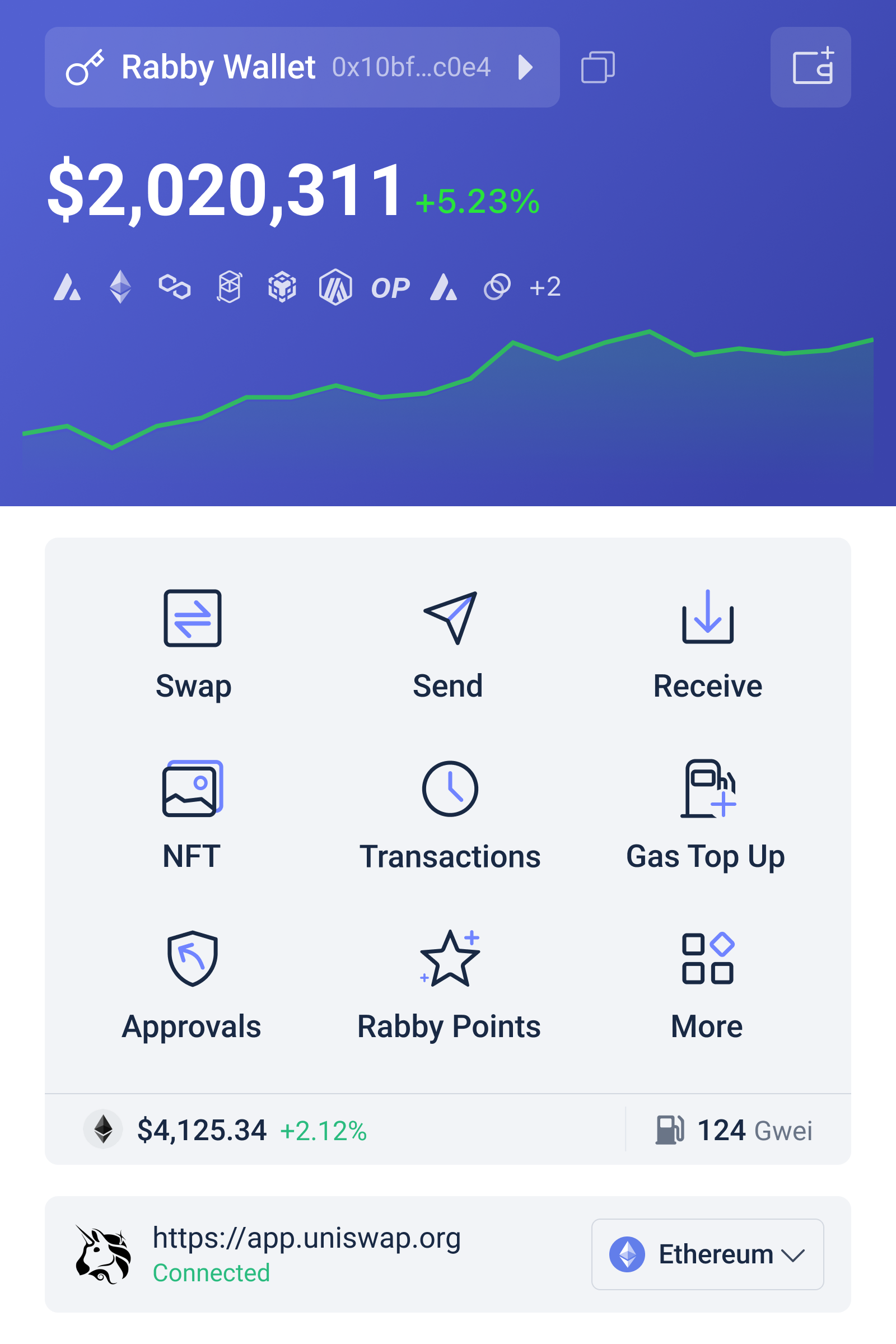
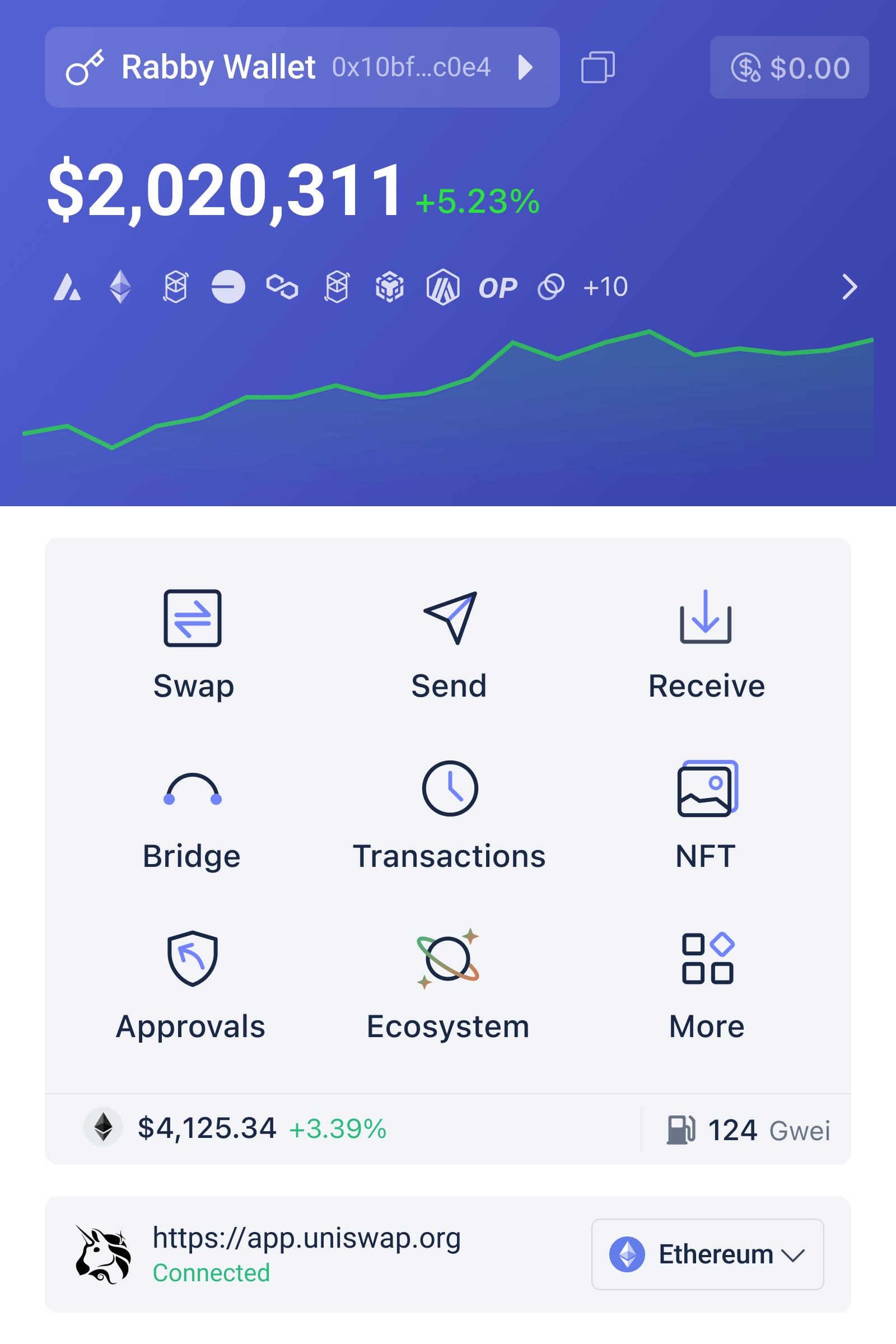
Rabby-Oberfläche zur Prüfung von DeFi-Transaktionen und erwarteten Token-Änderungen

Warum Transaktionssimulation mehr ist als eine Komfortfunktion

Bei einer gewöhnlichen Wallet erscheint eine Transaktion häufig als technische Zeichenfolge: Vertragsadresse, Funktionsaufruf, Gasgebühr und verschiedene Parameter. Für erfahrene Entwickler sind diese Daten interpretierbar, für viele Nutzer jedoch nicht. Rabby führt vor dem Signieren eine Simulation aus und stellt dar, wie sich die erwarteten Token-Guthaben verändern. Vereinfacht gesagt wird nicht nur gefragt: „Welche Daten werden an die Blockchain gesendet?“, sondern auch: „Wie könnte mein Kontostand nach erfolgreicher Ausführung aussehen?“

Diese Darstellung verändert das Sicherheitsmodell. Ein Nutzer kann beispielsweise erkennen, ob ein vermeintlicher Tausch tatsächlich einen Token-Abfluss erwarten lässt, ob ein NFT übertragen wird oder ob eine Genehmigung weitreichender ausfällt als beabsichtigt. Gerade bei sogenannten Infinite Approvals, also unbeschränkten Token-Freigaben, ist diese Perspektive relevant. Eine Genehmigung ist keine unmittelbare Überweisung, kann einem Vertrag aber später ermöglichen, Token bis zum freigegebenen Umfang abzurufen.

Die Grenze der Simulation sollte ebenso klar sein. Sie ist eine Vorhersage unter bestimmten Annahmen, keine Garantie für eine risikofreie Ausführung. Der Zustand eines Smart Contracts kann sich zwischen Simulation und tatsächlicher Bestätigung ändern. Zudem hängt das Ergebnis von den verwendeten RPC-Diensten, dem Netzwerkzustand und der korrekten Interpretation des Vertrags ab. Eine grüne Anzeige bedeutet daher nicht „sicher“, sondern eher „unter den geprüften Bedingungen kein offensichtliches Problem erkannt“. Diese Unterscheidung ist für ein verantwortungsvolles rabby wallet-Verständnis zentral.

Multi-Chain-Komfort und die neue Fehlerklasse

Rabby unterstützt mehr als 140 EVM-kompatible Blockchains und Netzwerke, darunter Ethereum, Polygon, Arbitrum, Optimism, Avalanche, Base und die BNB Chain. Beim Verbinden mit einer dezentralen Anwendung erkennt die Wallet das benötigte Netzwerk und kann automatisch dorthin wechseln. Das reduziert eine typische Fehlerquelle: Nutzer müssen nicht jedes Netzwerk manuell auswählen und senden dadurch weniger wahrscheinlich einen Vorgang im falschen Kontext.

Automatisierung beseitigt Risiken jedoch nicht, sondern verschiebt sie. Wenn ein Wallet den Netzwerkwechsel übernimmt, wird der Ablauf bequemer, aber möglicherweise weniger bewusst wahrgenommen. Bei einer Überweisung, einem Swap oder einer Bridge sollte deshalb weiterhin geprüft werden, auf welcher Chain sich der Vermögenswert befindet und ob die Zieladresse dort tatsächlich verwendet werden soll. Die verbreitete Annahme, ein Token mit gleichem Namen sei auf jeder EVM-Chain dasselbe Asset, ist falsch. Identität, Liquidität, Vertrag und Marktpreis können sich unterscheiden.

Der integrierte Swap-Aggregator durchsucht dezentrale Handelsplätze wie Uniswap und 1inch nach Kursen und versucht, Slippage zu begrenzen. Für Nutzer kann das den Wechsel zwischen Protokollen vereinfachen. Bei Bridges, etwa über integrierte Protokolle wie LI.FI, gilt aber eine höhere Vorsichtsstufe: Es kommen zusätzliche Smart Contracts, Liquiditätsquellen und gegebenenfalls externe Ausführungswege hinzu. Ein günstigerer oder schnellerer Weg ist nicht automatisch der robustere Weg. Für größere Beträge ist es vernünftig, zunächst eine kleine Testtransaktion durchzuführen.

Verwahrung, Backend und technische Angriffsflächen

Die privaten Schlüssel werden nach dem Non-Custodial-Prinzip lokal auf dem Gerät gespeichert und nicht an Rabby-Server übertragen. Das bedeutet: Rabby kontrolliert die Vermögenswerte nicht stellvertretend. Die Verantwortung für die Wiederherstellungsphrase, Gerätesicherheit und Signaturfreigaben bleibt beim Nutzer. Wer die Phrase in einer Cloud-Notiz, als unverschlüsselte Datei oder als Bildschirmfoto speichert, kann die Vorteile lokaler Schlüsselspeicherung praktisch wieder zunichtemachen.

Rabby beschreibt sich zudem als unabhängigen Prüfer, der Transaktionen nicht eigenständig erstellt oder verändert. Die Signierung kann auch bei einem Ausfall der Rabby-Backend-Dienste grundsätzlich weiter funktionieren. Das reduziert die Abhängigkeit von einem einzelnen Anbieter, beseitigt aber nicht alle externen Abhängigkeiten: Für Kontostände, Simulationen, Vertragsdaten und Netzwerkanfragen werden technische Infrastruktur und RPC-Verbindungen benötigt. Eine Wallet kann also lokal signieren und dennoch bei bestimmten Informationsfunktionen eingeschränkt sein.

Die Open-Source-Architektur unter der MIT-Lizenz erleichtert eine unabhängige Prüfung des Codes durch die Community. Das ist ein positives Transparenzsignal, aber kein automatisches Sicherheitszertifikat. Open Source macht Schwachstellen prinzipiell auffindbar; ob sie entdeckt, gemeldet und behoben werden, hängt von Prüfung, Wartung und tatsächlicher Nutzung ab. Auch ein Hardware-Wallet von Ledger, Trezor oder OneKey schützt nicht vor einer bewusst bestätigten schädlichen Transaktion. Es schützt vor allem den Schlüssel vor bestimmten Geräteangriffen.

Ein praxistaugliches Sicherheitsmodell für deutsche DeFi-Nutzer

Die sinnvollste Nutzung von Rabby folgt keinem einzelnen Warnhinweis, sondern einer kurzen Prüfkette. Erstens sollte die dApp über eine bekannte und selbst eingegebene Adresse geöffnet werden, nicht über einen zufälligen Suchtreffer oder eine Direktnachricht. Zweitens gehört der angezeigte Vertragsname zur Prüfung, ebenso die erwartete Änderung der Guthaben. Drittens sollte die Genehmigung zum konkreten Zweck und Betrag passen. Viertens ist die Chain zu kontrollieren, bevor eine Signatur erfolgt. Diese Schritte wirken banal, adressieren aber unterschiedliche Angriffspunkte: Phishing, falsche Verträge, übermäßige Freigaben und Netzwerkverwechslungen.

Der integrierte Sicherheits-Scanner prüft Verträge und Adressen unter anderem auf Hinweise zu Phishing, bekannten Hacks und unendlichen Freigaben. Solche Warnungen sind wertvoll, weil sie Wissen aus der Umgebung des Protokolls in den Signaturmoment bringen. Sie bleiben jedoch abhängig von Erkennungsmethoden und verfügbaren Informationen. Ein neuer Betrug kann zunächst unbekannt sein, und ein legitimer Vertrag kann durch eine riskante Konfiguration oder eine fehlerhafte Governance-Entscheidung gefährlich werden. Die richtige Reaktion auf eine Warnung ist deshalb nicht, sie reflexartig zu umgehen, sondern die Transaktion zu stoppen und die Ursache zu klären.

Funktionen wie Gas Account, mit dem Gebühren netzwerkübergreifend etwa in USDC bezahlt werden können, senken eine praktische Hürde: Nutzer müssen nicht für jede Chain den nativen Token bereithalten. Das ist komfortabel, kann aber die Wahrnehmung von Kosten und Netzwerkwechseln weiter abstrahieren. Auch Rabby Points aus Swaps, Gas-Aufladungen oder Empfehlungen sollten nicht mit einem Sicherheitsvorteil verwechselt werden. Ein Belohnungssystem kann Nutzung fördern, ändert aber nichts an den Risiken eines Smart Contracts oder einer falschen Signatur.

Was bei der Installation und Nutzung besonders zählt

Beim Installieren sollte die Erweiterung ausschließlich aus einer vertrauenswürdigen Quelle stammen; entscheidend ist die Echtheit der Software, nicht nur der Name „Rabby“. Nach der Einrichtung empfiehlt sich ein separates Konto für Tests und kleinere DeFi-Interaktionen. Größere Bestände lassen sich mit einem Hardware-Wallet und einer klaren Trennung zwischen langfristiger Aufbewahrung und aktiver dApp-Nutzung besser organisieren. Diese Struktur reduziert die Schadenshöhe, falls ein aktives Konto doch eine problematische Genehmigung erhält.

Für die nächsten Entwicklungen ist vor allem zu beobachten, ob Wallets Simulationen noch verständlicher und verlässlicher über mehrere Chains, Bridges und komplexe Vertragspfade hinweg darstellen können. Je stärker DeFi-Abläufe automatisiert werden, desto wichtiger wird die Qualität der Erklärung vor der Signatur. Die entscheidende Frage lautet nicht, ob eine Wallet viele Funktionen besitzt, sondern ob sie den Nutzer im richtigen Moment zu einer überprüfbaren Entscheidung befähigt.

FAQ: Rabby installieren und sicher verwenden

Ist Rabby ein Verwahrungs-Wallet?

Nein. Rabby ist Non-Custodial: Die privaten Schlüssel werden lokal auf dem Gerät gespeichert und nicht an Rabby-Server übertragen. Dadurch behält der Nutzer die Kontrolle, trägt aber auch die volle Verantwortung für Wiederherstellungsphrase, Geräteschutz und Signaturen.

Schützt die Transaktionssimulation vollständig vor Betrug?

Nein. Die Simulation zeigt erwartete Änderungen und kann auffällige Vorgänge sichtbar machen. Sie erkennt jedoch nicht zwingend jeden neuen Betrug, jede fehlerhafte Vertragslogik oder jede Veränderung zwischen Simulation und Ausführung. Warnungen sollten als Entscheidungshilfe und nicht als Sicherheitsgarantie verstanden werden.

Ist Rabby für alle Blockchains geeignet?

Der Schwerpunkt liegt auf EVM-kompatiblen Netzwerken. Rabby unterstützt davon sehr viele, darunter Ethereum, Arbitrum, Optimism, Polygon, Avalanche, Base und die BNB Chain. Nicht jede Blockchain und nicht jede dApp gehört automatisch in diesen Bereich; vor der Nutzung sollte daher geprüft werden, ob das konkrete Netzwerk unterstützt wird.

팬텀 지갑은 안전한가: 솔라나 지갑과 디파이 사용을 위험 관리의 관점에서 이해하기

지갑을 설치하면 자산이 더 안전해질까, 아니면 새로운 공격 표면이 생길까? 팬텀 지갑을 평가할 때 이 질문은 단순한 찬반보다 중요하다. 지갑은 코인을 보관하는 금고라기보다 블록체인과 사용자의 비밀키를 연결하는 서명 도구에 가깝기 때문이다. 따라서 안전성은 앱이나 브라우저 확장 프로그램의 이름만으로 결정되지 않고, 키를 누가 통제하는지, 어떤 거래에 서명하는지, 연결된 웹사이트를 어떻게 검증하는지에 의해 달라진다.

팬텀은 솔라나 생태계에서 널리 알려진 지갑이지만, 최근 안내 기준으로 솔라나뿐 아니라 이더리움, 비트코인, 베이스, 수이까지 지원하는 형태로 확장되었고 크롬·브레이브·파이어폭스 확장 프로그램과 iOS·안드로이드 앱으로 이용할 수 있다. 이 변화는 편리성을 높이지만 동시에 중요한 조건을 만든다. 여러 네트워크를 한 화면에서 다룰수록 사용자는 자산의 종류뿐 아니라 네트워크, 토큰 표준, 거래 승인 내용을 함께 구분해야 한다. 편리한 화면이 복잡한 구조를 없애 주는 것은 아니다.

여러 블록체인 네트워크와 거래 서명을 연결하는 팬텀 지갑의 역할을 보여주는 로고

팬텀 지갑의 핵심은 보관이 아니라 서명이다

암호화폐 지갑을 처음 접하는 사용자는 지갑 안에 코인이 실제로 들어 있다고 생각하기 쉽다. 그러나 대부분의 블록체인 자산은 지갑 앱 내부에 저장되는 것이 아니라 해당 네트워크의 원장에 기록된다. 지갑은 그 자산을 움직일 권한을 증명하는 비밀키를 관리하고, 사용자가 승인한 거래에 전자서명을 생성한다. 팬텀을 이해하는 첫 번째 기준도 바로 이 구조다.

비수탁형 지갑에서는 일반적으로 사용자가 복구 문구와 비밀키의 통제권을 가진다. 이는 거래소가 출금을 중단하거나 계정을 제한할 때에도 사용자가 직접 네트워크와 상호작용할 수 있다는 장점으로 이어진다. 반대로 복구 문구를 잃어버리면 서비스 운영자가 대신 복구해 주기 어렵고, 공격자에게 노출하면 지갑 안의 자산을 되돌리기 힘들다. 자기 보관은 자유의 확대인 동시에 책임의 이전이다.

여기서 자주 발생하는 오해가 있다. 지갑의 비밀번호나 휴대전화 잠금은 앱에 접근하는 장벽이지, 블록체인 자산의 최종적인 소유 증명 자체는 아니다. 기기를 잃어버렸을 때 복구 문구가 있다면 다른 환경에서 지갑을 복원할 수 있지만, 복구 문구가 유출되었다면 기기 보안이 아무리 강해도 충분하지 않다. 그러므로 비밀번호 관리와 복구 문구 보호는 서로 다른 문제로 다뤄야 한다.

솔라나 지갑으로서의 장점과 네트워크 위험

솔라나는 거래 처리 비용과 속도 측면에서 디파이, 대체불가능토큰, 온체인 애플리케이션을 탐색하려는 사용자에게 매력적인 환경으로 평가된다. 팬텀은 이러한 애플리케이션과 연결할 때 브라우저 확장 프로그램이나 모바일 앱에서 거래 서명 요청을 보여 주는 접점이 된다. 사용자는 웹사이트에 지갑을 연결하고, 토큰 교환이나 유동성 공급 같은 작업을 선택한 뒤, 지갑에서 승인 여부를 결정한다.

하지만 빠른 거래와 낮은 비용이 곧 낮은 위험을 뜻하지는 않는다. 거래가 신속하게 확정되면 실수한 주문이나 악성 승인도 되돌릴 시간이 짧을 수 있다. 특히 디파이에서는 단순히 토큰을 보내는 거래 외에도 특정 프로그램에 자산 사용 권한을 부여하거나, 여러 작업을 한 번에 묶은 거래에 서명할 수 있다. 화면에 표시된 이름이 익숙하다는 이유만으로 승인해서는 안 되는 이유다.

다중 네트워크 지원은 실용적인 발전이지만, 네트워크 혼동이라는 새로운 경계 조건을 만든다. 같은 이름 또는 유사한 표시를 가진 토큰이 서로 다른 네트워크에 존재할 수 있고, 거래소에서 출금할 때 선택한 네트워크와 지갑이 수신할 네트워크가 일치해야 한다. 한국 사용자가 국내 거래소에서 팬텀으로 자산을 옮길 때에는 주소만 복사하는 것보다 자산 종류, 네트워크, 메모나 태그 필요 여부, 소액 테스트 전송을 함께 확인하는 편이 안전하다.

팬텀 앱이나 브라우저 확장 프로그램을 처음 설치하는 경우에는 공식 배포 경로인지 확인하는 절차가 출발점이다. 검색 광고나 커뮤니티 게시물의 링크를 무심코 누르는 대신, 공식 안내와 일치하는 다운로드 경로를 확인하고 설치 후 복구 문구를 요구하는 화면을 특히 경계해야 한다. 설치 방법과 지원 환경을 확인하려는 독자는 https://sites.google.com/web3walletextension.com/phantom-wallet-extension-app/에서 관련 정보를 살펴볼 수 있다. 다만 어떤 안내 페이지도 사용자의 비밀정보를 대신 보관해 주지는 않으므로, 복구 문구를 입력하라는 요구는 출처와 무관하게 신중하게 판단해야 한다.

팬텀 디파이 사용에서 가장 중요한 공격 표면

디파이는 중앙화된 중개기관 대신 스마트 계약, 즉 특정 조건을 자동으로 실행하도록 배포된 프로그램을 이용한다. 지갑은 이 프로그램과 사용자를 연결하지만, 프로그램의 안전성을 보증하는 기관은 아니다. 따라서 “지갑이 안전하다”와 “지갑으로 연결한 디파이 서비스가 안전하다”는 서로 다른 주장이다. 전자는 키 관리와 서명 인터페이스의 문제이고, 후자는 계약 코드, 운영 권한, 가격 산정 방식, 유동성 구조와 관련된다.

첫 번째 공격 표면은 가짜 웹사이트다. 피싱 사이트는 정식 서비스와 비슷한 로고와 문구를 사용하고, 지갑 연결 뒤 서명을 요구한다. 이때 피해자는 비밀번호를 직접 입력하지 않아도 자산을 잃을 수 있다. 악성 거래에 서명하면 지갑이 정상적으로 작동한 결과가 공격자의 의도대로 나타나기 때문이다. 연결 자체보다 서명 내용이 더 중요한 이유가 여기에 있다.

두 번째는 권한 승인이다. 토큰을 교환하거나 예치할 때 사용자는 특정 계약이 토큰을 이동할 수 있도록 권한을 부여할 수 있다. 작업이 끝난 뒤에도 권한이 남아 있다면, 해당 계약이나 그 취약점이 향후 자산에 영향을 줄 가능성이 생긴다. 모든 승인 취소가 같은 방식으로 작동하거나 비용이 없는 것도 아니므로, 사용하지 않는 서비스에 부여한 권한을 정기적으로 검토하는 운영 습관이 필요하다.

세 번째는 사회공학이다. “보상을 받으려면 복구 문구를 입력하라”, “지갑을 동기화하려면 비밀키를 제출하라”는 식의 요구는 기술적으로 그럴듯해 보여도 정상적인 복구 절차와 다르다. 고객지원 담당자를 사칭한 계정, 긴급성을 강조하는 메시지, 무료 에어드롭을 미끼로 한 서명 요청은 사용자의 판단 시간을 줄이는 방식으로 작동한다. 보안은 암호 기술만의 문제가 아니라 주의력과 절차 설계의 문제이기도 하다.

실제로 사용할 때의 위험 관리 프레임

팬텀을 사용할지 결정할 때 “안전한 지갑인가”라는 단일 질문보다 네 단계의 점검이 유용하다. 첫째는 키의 주체다. 복구 문구가 누구에게 있고, 어디에 기록되며, 누가 접근할 수 있는지 확인한다. 둘째는 거래의 목적이다. 단순 전송인지, 토큰 교환인지, 예치인지, 권한 부여인지 구분한다. 셋째는 상대방이다. 연결하려는 사이트의 도메인과 서비스 운영 주체를 독립적으로 확인한다. 넷째는 손실 한도다. 실험용 지갑과 장기 보관용 지갑을 분리하고, 디파이에 넣는 금액을 감당 가능한 범위로 제한한다.

이 프레임에서 특히 유용한 원칙은 “주소보다 의도를 검증하라”는 것이다. 주소가 맞더라도 악성 계약에 서명하면 문제가 생길 수 있고, 반대로 정상적인 주소라도 잘못된 네트워크로 전송하면 자산을 찾는 과정이 복잡해질 수 있다. 거래 전에는 받는 주소, 네트워크, 금액, 수수료, 승인 범위, 예상 결과를 확인해야 한다. 지갑 화면에 나타나는 정보가 제한적이라면, 이해하지 못한 서명을 보류하는 것이 합리적이다.

브라우저 확장 프로그램은 데스크톱에서 디파이 서비스와 상호작용하기 편리하지만, 브라우저 자체의 공격 표면을 함께 고려해야 한다. 악성 확장 프로그램, 피싱 탭, 클립보드 주소 변조, 공용 컴퓨터의 잔여 로그인 정보가 위험 요인이 될 수 있다. 모바일 앱은 휴대성과 기기 생체인증을 활용할 수 있지만, 화면이 작아 복잡한 거래 내용을 세밀하게 검토하기 어려울 수 있다. 어느 형태가 절대적으로 우월하다기보다 사용 환경에 따라 위험의 종류가 달라진다.

장기 보관과 적극적인 디파이 활동을 하나의 지갑에서 처리하는 것도 신중해야 한다. 장기 보관 지갑은 가능한 한 적은 웹사이트와 연결하고, 디파이용 지갑은 실험과 거래에 필요한 만큼만 자금을 넣는 방식이 노출 범위를 줄인다. 금액이 커질수록 하드웨어 지갑이나 다중 승인 구조를 검토할 수 있지만, 이런 도구도 사용자가 악성 거래를 승인하는 문제까지 자동으로 해결하지는 않는다. 보안 장치는 위험을 제거하기보다 특정 위험의 가능성을 낮춘다.

최근 확장성이 의미하는 것

최근 팬텀의 안내에서 여러 네트워크와 데스크톱·모바일 환경을 폭넓게 지원한다는 점은 지갑이 단일 생태계의 전용 도구에서 다중 체인 접근 계층으로 이동하고 있음을 보여 준다. 이는 사용자가 여러 앱을 오갈 때의 마찰을 줄일 수 있는 신호다. 그러나 기능이 늘어날수록 사용자 인터페이스는 더 많은 상태를 설명해야 한다. 네트워크 선택, 자산 표시, 계약 권한, 브리지 사용 여부가 한 화면에 압축되면 초보자는 편리함을 복잡성의 감소로 오해할 수 있다.

앞으로 주목할 지점은 지원 네트워크의 숫자 자체보다 검증 가능성이다. 사용자가 거래의 목적과 권한 범위를 더 명확히 이해할 수 있는지, 위험한 연결이나 의심스러운 서명을 얼마나 잘 구별하도록 돕는지, 네트워크 간 이동에서 실수를 줄이는 안내가 제공되는지가 더 중요한 평가 기준이다. 다중 체인 지갑이 계속 성장한다면 성공 여부는 자산을 많이 보여 주는 능력보다 서로 다른 규칙을 사용자가 혼동하지 않도록 설명하는 능력에 달려 있을 가능성이 크다.

한국 사용자에게는 특히 거래소와 개인 지갑 사이의 경계가 중요하다. 거래소는 계정 복구와 고객지원이라는 편의가 있지만, 출금 정책과 네트워크 지원에 의존한다. 개인 지갑은 직접 통제권을 제공하지만, 복구와 실수에 대한 책임도 사용자에게 돌아온다. 어느 한쪽이 모든 목적에 맞는다는 결론보다, 거래소에는 즉시 거래에 필요한 금액을 두고 개인 지갑에는 목적별로 분리한 자산을 두는 식의 구조적 관리가 더 현실적인 접근이다.

자주 묻는 질문

팬텀은 솔라나 전용 지갑인가요?

처음에는 솔라나 생태계와 강하게 연결된 지갑으로 인식되었지만, 최근 안내 기준으로 솔라나 외에 이더리움, 비트코인, 베이스, 수이 등 여러 네트워크를 지원한다. 다만 네트워크마다 거래 방식과 자산 구조가 다르므로, 지원된다는 사실이 모든 기능과 자산이 동일한 방식으로 처리된다는 뜻은 아니다.

팬텀으로 디파이를 사용하면 자산이 자동으로 안전해지나요?

그렇지 않다. 팬텀은 거래를 서명하는 도구이며, 연결한 디파이 서비스의 스마트 계약이나 웹사이트를 자동으로 보증하지 않는다. 사용자는 사이트의 진위, 거래 목적, 승인 권한, 예상 결과를 직접 확인해야 한다. 이해하지 못한 서명 요청은 취소하거나 별도의 소액 지갑에서 먼저 시험하는 편이 안전하다.

앱과 브라우저 확장 프로그램 중 어느 쪽이 더 안전한가요?

일률적인 답은 없다. 브라우저 확장 프로그램은 데스크톱 디파이 사용에 편리하지만 브라우저와 다른 확장 프로그램의 위험을 함께 고려해야 한다. 모바일 앱은 휴대성과 기기 잠금 기능을 활용할 수 있지만 작은 화면에서 거래 세부사항을 놓칠 수 있다. 중요한 것은 환경에 맞춰 자산을 분리하고, 공식 배포 경로와 복구 문구 보호를 일관되게 지키는 것이다.

결국 팬텀 지갑의 핵심 가치는 “코인을 안전하게 넣어 두는 장소”라는 이미지보다, 사용자가 블록체인 거래를 직접 승인할 수 있게 하는 인터페이스라는 데 있다. 이 구조를 이해하면 평가 기준도 달라진다. 좋은 지갑은 편리해야 하지만, 편리함이 검증 절차를 숨겨서는 안 된다. 솔라나와 디파이를 탐색하려는 한국 사용자라면 지원 네트워크의 범위보다 키 관리, 서명 이해, 권한 점검, 목적별 지갑 분리라는 네 가지 원칙을 먼저 세우는 편이 더 오래가는 안전 전략이다.

On-Chain Trading of Crypto Futures: Why Security Is a Trading Variable

A common misconception is that moving futures trading to a decentralized exchange simply replaces a centralized company with a smart contract. The real change is more consequential: custody, execution, liquidation, pricing, and system governance are redistributed across software, wallets, market participants, and infrastructure. That redistribution can reduce reliance on a single custodian, but it does not remove risk. It changes its shape.

For US traders using perpetual contracts, this distinction matters. A perpetual is a futures-like instrument without a fixed expiration date. Its price is kept near an underlying reference through funding payments between long and short traders. The contract may look familiar, yet the operational questions are different when trading is fully onchain, non-custodial, and available around the clock. The relevant question is not whether a venue is “decentralized” in the abstract, but which parts of the trading process can be verified, which depend on assumptions, and how losses are managed when markets move faster than systems can respond.

A trading interface symbol representing transparent, non-custodial access to onchain perpetual markets

What on-chain perpetual trading actually changes

In a traditional centralized exchange, the platform generally holds customer assets, maintains an internal ledger, matches orders, calculates margin, and controls withdrawals. Users receive convenience in exchange for counterparty and operational dependence. They must trust that balances are accurately recorded, risk controls function as described, and withdrawals remain available when needed.

On-chain trading separates these assumptions. A trader connects a wallet, deposits or authorizes collateral according to the venue’s design, and interacts with a protocol whose state can be inspected through blockchain data and application interfaces. “Non-custodial” does not mean risk-free: it means the user is not handing all asset-control decisions to a conventional intermediary. The wallet, signing process, smart contracts, front end, oracle system, and network all become part of the security model.

This produces a useful mental model: decentralization is not a binary safety label; it is an allocation of control. If custody risk declines, wallet-management risk may increase. If settlement becomes more transparent, technical complexity may become more visible. If access is continuous, the trader also faces continuous exposure to volatility, thin liquidity, outages, and liquidation conditions.

The mechanism behind perpetual futures

Perpetual contracts use margin rather than full payment for the notional value of a position. A trader posting $10,000 of collateral might control a larger long or short position, depending on the selected leverage and the venue’s limits. Profit and loss changes with the contract’s mark price, while the trader’s available margin changes as the position moves.

The funding mechanism is central. When perpetual prices trade persistently above their reference market, funding may generally transfer value from longs to shorts; when they trade below it, the direction may reverse. The exact calculation, interval, caps, and risk parameters vary by venue. Funding is therefore not a guaranteed yield. It is a market-balancing payment that can become expensive when positioning is crowded.

Liquidation is the second essential mechanism. If losses reduce a trader’s equity below the required maintenance margin, the system may close part or all of the position. The displayed liquidation price is an estimate under stated assumptions, not a promise that the position will close exactly there. Fast markets, gaps, oracle updates, congestion, and limited liquidity can produce execution outcomes that differ materially from a simple calculator.

This is why leverage is better understood as a reduction in error tolerance than merely an increase in purchasing power. At higher leverage, a relatively small adverse move can consume the margin buffer. The trader is not only forecasting direction; they are forecasting volatility, liquidity, funding, execution quality, and the behavior of the risk engine under stress.

Security: custody is only one layer

Self-custody removes some familiar failure modes, particularly the risk that a centralized custodian freezes withdrawals or becomes insolvent. It introduces a different set of responsibilities. A compromised private key, malicious transaction approval, leaked seed phrase, or deceptive interface can give an attacker control that no customer-support process can reliably reverse.

Smart contracts add another layer. Contract code may contain defects, unexpected interactions, or administrative privileges that are not obvious from the trading screen. Oracles create a separate dependency: markets need a reference price, and the quality of that price depends on data sources, update rules, resilience, and the treatment of abnormal observations. A protocol can be transparent while still being difficult for an ordinary trader to audit.

The front end deserves particular attention. A trader may believe they are interacting with a known venue while actually using a malicious domain, a compromised browser extension, or an altered transaction prompt. Verifying the URL, inspecting wallet requests, using hardware-backed signing where appropriate, and avoiding unnecessary token approvals are not cosmetic precautions. They are part of execution discipline.

For a venue offering more than 300 perpetual and spot markets, including crypto, commodities, and indices, the risk surface also becomes heterogeneous. A large menu does not imply equal liquidity, equal oracle quality, or equal liquidation behavior across markets. A contract tied to a major crypto asset may have a very different stress profile from a less actively traded index or commodity market. Product breadth should therefore prompt more due diligence, not less.

Risk management for the non-custodial trader

A practical framework begins by separating four risks that are often blended together.

  • Market risk: the underlying asset moves against the position.
  • Leverage and liquidation risk: margin becomes insufficient before the trader can adjust.
  • Execution risk: slippage, latency, partial fills, funding, or oracle behavior changes the result.
  • Operational and protocol risk: the wallet, interface, smart contracts, network, or venue infrastructure fails or is attacked.

This separation improves decisions because each risk requires a different response. Smaller position size can reduce market and liquidation risk, but it does not protect against signing a malicious transaction. A limit order may reduce slippage, but it does not eliminate oracle or smart-contract exposure. Holding collateral in a wallet with strong key hygiene addresses custody, but not an overleveraged position.

One reusable heuristic is to calculate a position from the maximum acceptable loss rather than from the maximum available leverage. First define the amount of account equity that may be lost if the trade thesis fails. Then estimate the adverse price movement that would invalidate the thesis, add a buffer for execution uncertainty, and size the position accordingly. Only after that should leverage be considered. This reverses the common retail workflow, in which a platform’s maximum leverage becomes the starting point.

US traders should also distinguish technical access from legal and tax treatment. Availability of a market through a user interface does not by itself determine whether a product is appropriate or permitted for a particular person, jurisdiction, or account structure. Derivatives can involve complex reporting, restrictions, and compliance questions. A protocol’s global accessibility is not a substitute for understanding local obligations.

Transparency, decentralization, and their limits

Onchain records can improve auditability. Positions, collateral movements, and settlement-related events may be observable rather than hidden inside a private database. This allows technically capable users to verify more of the system and makes some forms of opacity harder.

Yet transparency is not the same as comprehensibility. A transaction history may show what happened without explaining why a liquidation occurred, how a reference price was formed, or which actor could change a parameter. Governance can also be distributed formally while remaining concentrated in practice if a small group controls upgrades, interfaces, or critical infrastructure.

The strongest interpretation is therefore conditional: onchain architecture can make selected claims easier to verify, particularly around settlement and asset movement, but security still depends on code, incentives, permissions, market design, and user behavior. The unresolved question is not whether decentralization is good or bad. It is how much control is genuinely distributed at each layer and how those layers behave during extreme volatility.

What to watch as on-chain futures mature

Recent industry development has emphasized continuous access and broader market coverage. Hyperliquid’s current positioning around 300-plus perpetual and spot markets, with crypto, commodities, indices, and other instruments offered fully onchain and non-custodially, illustrates the direction of travel. A trader evaluating hyperliquid dex should focus less on the headline count of markets than on the details behind each one: liquidity, funding behavior, oracle construction, margin rules, liquidation processes, and the ability to verify system state.

If onchain venues continue expanding, three signals will be especially informative. First, whether transparency becomes usable for ordinary traders rather than remaining a specialist advantage. Second, whether risk controls remain reliable across new asset classes and stressed conditions. Third, whether wallet and interface design reduce operational mistakes without recreating opaque intermediary control.

The likely implication is not that decentralized exchanges will eliminate centralized venues. Different traders may rationally prefer different custody and execution arrangements. The more durable development may be a widening choice of market structures, with competition occurring over verifiability, liquidity, resilience, and user control. That outcome depends on performance under adverse conditions, not merely on activity during calm markets.

Frequently asked questions

Are on-chain perpetuals safer than centralized futures?

Not categorically. They may reduce certain custodial and withdrawal risks, but they add or emphasize wallet, smart-contract, oracle, interface, and blockchain risks. Safety depends on the specific architecture and on the trader’s operational discipline.

Does non-custodial trading prevent liquidation?

No. Non-custodial describes control of assets and settlement authority; it does not remove margin requirements. If a leveraged position falls below maintenance requirements, the protocol may still liquidate it according to its published rules.

What should a trader verify before using a new perpetual market?

Review the underlying reference, oracle method, funding formula, margin and liquidation parameters, available liquidity, contract permissions, and withdrawal or settlement assumptions. Treat a new market as a distinct risk product rather than as a simple extension of a familiar asset.

What is the most important risk-management principle?

Size the position from a predefined loss limit and the trade’s invalidation level, not from the maximum leverage displayed by the platform. Leverage should be an implementation choice after risk has been bounded, not the source of the risk plan.

Trust Wallet Install, Browser Extensions, and MetaMask: Choosing the Right Web3 Wallet

The safest browser-extension wallet is not necessarily the one with the longest feature list. In practice, security depends at least as much on what a wallet makes visible before you sign as on the wallet’s brand, design, or number of supported networks. A polished interface can still leave a user exposed to a malicious token approval, a fake download, or a recovery phrase copied into the wrong place.

That is the central trade-off for US crypto users comparing Trust Wallet, MetaMask, Rabby, Phantom, and Exodus. These products are not simply different containers for coins. They are different control panels for interacting with blockchains, and each one emphasizes a different part of the experience: broad asset coverage, EVM compatibility, transaction interpretation, Solana access, or beginner-friendly portfolio management.

Educational illustration of crypto wallet choices and the security decisions involved in connecting to Web3 applications

What a browser-extension wallet actually does

A browser-extension wallet runs inside browsers such as Chrome, Brave, Edge, or Firefox. It stores or controls access to private keys locally and exposes a provider that decentralized applications, commonly called dApps, can detect. When a website asks to connect, the extension presents a prompt. When the dApp requests a transaction or signature, the wallet displays another prompt for approval.

This creates an important distinction: connecting a wallet is not the same as giving a contract permission to spend tokens. A connection usually lets a site view addresses and request actions. A token approval, by contrast, can authorize a smart contract to transfer a specified token from the wallet. Unlimited approvals are convenient, but they can create a lasting liability if the dApp is later compromised or the contract behaves maliciously.

Users should therefore treat wallet prompts as security boundaries, not routine pop-ups. Check the website domain, the selected account, the network, the recipient, and the requested permissions. After using DeFi applications, periodically review and revoke approvals that are no longer needed. Revocation does not undo a transaction that already happened, but it can reduce the damage a compromised contract could cause later.

Trust Wallet installation: broad access with a larger verification burden

Trust Wallet is available as a mobile app and browser extension and is designed for users who want broad multi-chain coverage in one interface. It supports a very large range of blockchains and tokens, includes a built-in dApp browser, and offers staking for several proof-of-stake assets. That breadth can be useful for someone holding assets across ecosystems rather than concentrating on Ethereum-compatible DeFi.

The catch is that broad support increases the number of ways a user can make a network or asset mistake. A token may exist on several chains while having different deposit instructions, fees, and contract addresses. A balance appearing in an interface does not by itself prove that an asset is genuine or that a transfer route is compatible with an exchange. Trust Wallet can simplify access, but it cannot remove the underlying complexity of blockchains.

For a Trust Wallet install, start from an official project source rather than a search advertisement or an unfamiliar extension-store result. Compare the publisher name, installation history, and official download path. Fake wallet extensions are especially dangerous because their purpose is often to capture a recovery phrase or redirect funds, and a convincing logo is not meaningful evidence of authenticity.

MetaMask wallet: the flexible EVM workbench

MetaMask remains one of the most widely used browser wallets for Ethereum and other EVM-compatible networks. EVM refers to the execution environment used by Ethereum and many related chains. MetaMask supports custom RPC networks, token swaps, and connections to a broad range of DeFi and NFT applications. Its network flexibility is one reason Layer 2 and sidechain projects frequently publish MetaMask configuration instructions.

That flexibility is both its strength and its weakness. A user can add a network by entering RPC details, but a wallet accepting a network configuration does not guarantee that the network is reputable, correctly configured, or economically useful. A malicious or misleading RPC endpoint may affect what balances or transaction data the user sees. Network selection should be treated as an information and trust decision, not merely a technical setup step.

MetaMask is often a sensible choice for users who need maximum compatibility with EVM dApps. It is less of a guided risk-analysis tool than Rabby, however, and its wide adoption makes it a frequent target for phishing attempts. A MetaMask wallet can be excellent infrastructure while still requiring the user to understand contract calls, gas fees, approvals, and chain identity.

How Rabby changes the signing decision

Rabby is also aimed at Web3 and DeFi users, but its design places more emphasis on interpreting transactions before approval. Developed by the DeBank team, it supports more than 140 EVM-compatible chains, provides automatic network switching, and uses pre-transaction risk checks. Its transaction simulation can show expected balance changes and contract interactions before the user signs.

That simulation creates a sharper mental model: the important question is not only “Which dApp am I using?” but also “What state change will this transaction cause?” If a supposedly simple action appears likely to transfer an unexpected asset, grant an expansive approval, or interact with an unfamiliar contract, the user has a reason to pause.

Simulation is not an oracle, though. It depends on the information available to the wallet and the behavior of the network and contract at the time of simulation. Complex or adversarial contracts may remain difficult to interpret, and a warning does not automatically mean a transaction is fraudulent. Rabby can improve visibility; it cannot turn an uncertain on-chain action into a risk-free one.

Phantom and Exodus: different priorities

Phantom began as a Solana-focused wallet and later added support for Ethereum, Polygon, Bitcoin, and Sui. It combines multi-chain balances and NFTs with swaps, staking, and NFT management. For users active in the Solana ecosystem, Phantom’s familiarity and integrated features can make it a natural first choice, while its expanding chain coverage reduces the need to maintain a separate interface for every asset.

Phantom’s limitation is not necessarily a technical defect; it is a question of fit. A user whose main activity is complex EVM DeFi may prefer the network flexibility of MetaMask or the transaction analysis of Rabby. Conversely, an EVM-focused wallet may feel unnecessarily complicated to someone whose main activity is managing Solana assets and NFTs.

Exodus takes a more portfolio-oriented approach. It is available as a desktop app, mobile app, and browser extension, and is known for a beginner-friendly interface, built-in exchange features, and multi-asset support. Exodus also integrates with Trezor hardware wallets and provides portfolio tracking. That makes it attractive to users who want a familiar overview of holdings and a path toward hardware-backed custody.

The trade-off is that convenience features can encourage users to think in terms of displayed portfolio value rather than transaction mechanics. Built-in exchanges and simplified asset views may reduce friction, but they do not eliminate network fees, liquidity constraints, spread, or the need to verify what is being signed. A clean interface is useful; it should not become a substitute for inspecting the actual action.

The security layer that matters more than the logo

Most extension wallets generate a 12- or 24-word BIP-39 recovery phrase during setup. This phrase is effectively a master backup: anyone who obtains it can restore the wallet and move its funds. It should never be entered into a website, sent to support, photographed, or stored as plain text in a cloud account. Store the backup offline and protect it from both theft and physical loss.

Self-custody removes a central custodian’s ability to freeze or recover funds on the user’s behalf, but it also transfers responsibility to the user. There is no universal “forgot password” process for a seed phrase. This is why many users separate their activities: a smaller hot wallet for routine dApp interactions and a hardware wallet for larger or longer-term holdings.

Several browser wallets can pair with hardware devices such as Ledger or Trezor. The extension remains useful for viewing balances and connecting to dApps, while the private keys stay on a separate device and signing requires physical confirmation. Hardware pairing reduces exposure to some computer-based threats, but it does not protect against approving a malicious transaction. If the user authorizes the wrong action on the hardware device, the blockchain generally cannot reverse it.

A practical selection framework

Rather than asking which wallet is “best,” match the wallet to the dominant activity and the type of error you are most likely to make. EVM-heavy DeFi users may value MetaMask’s compatibility or Rabby’s transaction simulations. Solana users may favor Phantom. Users who want broad multi-chain asset coverage may find Trust Wallet practical, while Exodus may appeal to those who prioritize a straightforward portfolio experience and Trezor integration.

A useful three-part test is ecosystem, visibility, and custody. First, does the wallet support the networks and dApps you actually use? Second, does it make approvals, recipients, network changes, and expected balance changes understandable? Third, can it fit your custody plan, including offline backups and, if appropriate, a hardware device? A wallet that fails any one of these tests may create friction or risk even if it is popular.

Before installing, verify the official source. During setup, create the wallet in a private environment and record the recovery phrase offline. Before connecting to a dApp, confirm the domain and account. Before signing, read the requested action rather than approving automatically. Afterward, review token approvals and disconnect from sites that no longer need access. Readers seeking a broader comparison of current wallet tools can use this crypto extension guide as a starting point, but official wallet documentation should remain the authority for installation and recovery procedures.

The next meaningful direction for extension wallets is conditional rather than guaranteed. If wallets continue improving transaction simulation, permission controls, and cross-chain explanations, users may be able to evaluate on-chain actions with less reliance on technical expertise. But better warnings will only help if users read them, and warning systems can struggle with novel contracts and rapidly changing networks. The likely dividing line will not be feature count; it will be how well a wallet communicates uncertainty before an irreversible signature.

Frequently asked questions

Is Trust Wallet or MetaMask better for a browser extension?

Neither is universally better. Trust Wallet is oriented toward broad multi-chain support and a large range of assets, while MetaMask is particularly strong for Ethereum and EVM-compatible dApps and custom networks. Choose based on the ecosystems you use, then compare how clearly the wallet presents permissions and transaction details.

Can a browser wallet protect me from a scam dApp?

It can reduce risk by showing connection requests, approvals, warnings, or simulated outcomes, but it cannot guarantee safety. Verify the site independently, inspect the requested permissions, avoid unlimited approvals when a limited amount is possible, and revoke unused approvals later. A legitimate-looking interface does not make a smart contract trustworthy.

Should I use a hardware wallet with an extension wallet?

For larger holdings or long-term storage, pairing an extension interface with a Ledger or Trezor device can reduce exposure because the private keys remain on the hardware wallet. It does not remove the need to verify transactions: the device protects the key, not the user from authorizing the wrong contract interaction.

The most useful way to compare Trust Wallet, MetaMask, Rabby, Phantom, and Exodus is to see them as different risk-management interfaces. The wallet handles keys and requests signatures, but the user still decides which software, network, contract, and permission deserves trust. In self-custody, that decision is not an inconvenience around the product. It is the product.

Bitcoin Mixing and Trezor Suite: Do Coin Control Tools Actually Provide Privacy or Just Obfuscation?

A Bitcoin user holds funds across multiple addresses and receives regular deposits. Some funds came from exchanges with known identity records, others from peer-to-peer channels, and still others from services that may have retained transaction histories. When the time comes to spend, the user faces a practical choice: consolidate everything into one transaction for simplicity, or manually select which specific unspent outputs (UTXOs) to use. Trezor Suite’s coin control feature allows the latter, presenting each discrete piece of Bitcoin separately so that the user can choose which ones enter a payment. The feature exists. The question is whether choosing deliberately—rather than letting software choose automatically—actually reduces privacy exposure or merely moves the burden of obfuscation onto the user while creating a false sense of control.

Chain analysis firms, blockchain researchers, and investigators regularly reconstruct payment flows by studying transaction structure, timing, address clustering, and behavioral patterns. A transaction that consolidates ten UTXOs into a single output carries a different analytical signal than one that spends from three carefully selected sources. Yet the difference may matter far less than users assume. Coin control can prevent one category of mistake, but it cannot erase prior exposure, counteract counterparty knowledge, or defeat timing analysis and address reuse. The deeper question is whether Trezor Suite’s privacy tools—including Tor integration, coin control, and private key isolation on hardware—work together to provide genuine privacy or whether they function as sophisticated theater that feels protective without changing the actual risk.

Trezor Suite interface showing coin control options for selecting individual UTXOs before transaction broadcast

Why coin control exists and what it actually prevents

Bitcoin transactions consume unspent outputs and produce new ones. Each UTXO has a history: when it was received, from which address, and in what transaction. When a wallet spends money, it must choose which UTXOs to use. An ordinary wallet uses a default algorithm—often «largest first» or «oldest first»—to select coins automatically. This is convenient and reduces user error for basic transactions. It also creates predictable patterns that analysis tools can exploit. If a wallet consistently combines the oldest UTXO with the newest one, every transaction carries a behavioral fingerprint.

Coin control inverts this: instead of algorithm-selected UTXOs, the user sees each discrete piece and chooses which ones to spend. This can prevent one specific form of privacy loss. If a user receives Bitcoin from a public source (say, a known exchange withdrawal) and wants to combine it with funds from a private source (a P2P transaction), coin control allows the user to avoid consolidating them in a single transaction where both sources become linked in a way that is permanently recorded on chain. The user instead spends only the private source. That is a real benefit: it prevents self-inflicted linking.

The limitation is equally real. Coin control does not alter what happened before the current transaction. If a UTXO was previously created by consolidating ten suspicious inputs, or if it arrived at an address that received many payments over time, that history is immutable. A chain analyst examining that UTXO’s ancestors will see the same transactions whether or not the user carefully selected it using Trezor Suite’s interface. Coin control is a filter on outgoing behavior; it is not a privacy reset. Users who believe it washes previous transactions are mistaken.

Furthermore, coin control requires the user to understand which UTXOs to avoid. This is not always obvious. An address may have received multiple payments; one might be from a regulated exchange (bad for privacy) and another from a friend (better). Without external knowledge or record-keeping, the user may not remember. If the user consolidates them anyway because they forgot the original source, coin control has not solved anything—it merely gave the user a way to do the same damaging thing with more manual steps.

The consolidation problem and what Trezor Suite cannot fix

One of the strongest analytical signals in Bitcoin is the consolidation of multiple inputs. When a transaction spends from ten different UTXOs, it is reasonable to assume they belong to the same entity—because ordinary users and services rarely have legitimate reasons to spend from unrelated sources simultaneously. This assumption drives much of the address clustering that underpins chain analysis. If Trezor Suite’s coin control enables a user to spend from three UTXOs instead of ten, the transaction looks less suspicious. The analytical burden increases slightly. But the user’s behavior in selecting those three—rather than relying on the wallet’s default—may itself become observable.

Coin control intentionality is the term that best describes this trade-off. When a user manually selects UTXOs, they are making choices that differ from what an automatic algorithm would produce. Over time, or across multiple transactions, this pattern may become identifiable. If the user reliably avoids consolidations from a particular address, a researcher may infer that the user believes those addresses are sensitive or that they worry about linking. Alternatively, coin control users may simply be a small minority population, making them more notable when their behavior is spotted. The strategy that was meant to avoid attention has instead created a signature of deliberate privacy caution.

The deeper issue is that consolidation prevention assumes the user has multiple legitimate reasons to keep UTXOs separate. In practice, many users have all their Bitcoin in one hot wallet or one Trezor device. All the UTXOs descend from the same recovery seed. From a custody perspective, it does not matter whether they are spent together or separately; they are all controlled by the same user. The privacy distinction only materializes if some of those UTXOs came from truly unrelated sources or if the user believes that spending them together would reveal information they want to hide. For most users, coin control is solving a problem they do not have.

Tor integration and network-level privacy: necessary but not sufficient

Trezor Suite supports Tor integration, allowing transaction broadcasts and node communication to flow through the Tor network rather than directly from the user’s IP address. This addresses a different privacy surface than coin control. While coin control concerns the transactions themselves and their structure, Tor concerns who appears to be making the transaction. An observer positioned to see network traffic would typically see an IP address, device type, approximate location, and timing. Tor obscures the source IP by routing traffic through multiple relays, making it harder to correlate a specific transaction broadcast with a specific person’s device.

The benefit is genuine but conditional. Tor prevents network-level deanonymization only if the user is actually using it—and if they are using it correctly. Activating Tor and then immediately sending funds to an address that is publicly associated with their name defeats the benefit. Tor also cannot hide the actual transaction structure or content. A transaction that consolidates UTXOs from a known exchange is suspicious regardless of whether Tor was used; it just becomes harder to tie the broadcast to a specific IP address. For users who are already exposed through prior transactions or known counterparties, the IP-hiding benefit may be irrelevant.

Additionally, Tor integration in Trezor Suite typically applies to the desktop version more comprehensively than the mobile app. The mobile version focuses on send and receive functionality, which means users on smartphones may not have the same level of network privacy. For someone who regularly uses both, or who switches between devices, the privacy properties are inconsistent. A transaction initiated on a phone without Tor protection, even if later approved on a hardware device, has already signaled the user’s presence and transaction intent from that device’s network address.

There is also the matter of timing correlation. Even if the IP is hidden through Tor, the timestamp of the transaction broadcast, combined with the transaction’s structure and the addresses involved, can sometimes correlate activity across sessions. If a user sends money through Tor at 3:15 AM UTC and then the same receiving address is active on a regular IP address twenty minutes later, an observer with sufficient visibility might correlate the two events. Privacy tools work best in combination with careful user discipline around timing and reuse.

Private key isolation on hardware: real security, incomplete privacy

Trezor Suite’s core security principle is that private keys never leave the hardware device. All transactions are signed on the device, and the user must physically confirm them by pressing a button on the Trezor. This is a powerful security feature. It means malware on the computer or phone cannot extract the private keys, even if it captures everything displayed on screen or monitors network traffic. The user’s Bitcoin is not at risk of theft through a phishing attack, a compromised computer, or a malicious software update to the suite itself.

This architecture has profound privacy implications as well, but they are different from what coin control addresses. By keeping private keys isolated, Trezor ensures that the user controls which transactions are authorized. No external party can move the funds without physical confirmation. For users concerned about exchange or custodian censorship, this is critical. But private key isolation does not make transactions invisible. It does not prevent observers from seeing that the Trezor user conducted a transaction, what addresses were involved, how much Bitcoin moved, or when it moved. It only ensures that no one but the user could have authorized it.

The privacy benefit is therefore defensive rather than obfuscatory. A user with a Trezor cannot be forced to spend funds they do not want to spend, and they cannot be tricked into revealing their keys through a fake wallet or clever social engineering of the computer. They retain agency. But that agency does not automatically translate to transaction privacy. A Trezor user who consolidates ten UTXOs from a known exchange and sends them to a regulated service has the same analytical profile as any other user making the same transaction—except with stronger assurance that they really are the owner and no one spoofed the approval.

Address reuse and the user’s own discipline

Coin control is only as effective as the user’s ability to distinguish between UTXOs based on their provenance. This requires that the user remembers or has recorded where each UTXO came from. For users who frequently receive Bitcoin to the same address, this becomes nearly impossible. If an address receives ten payments from ten different sources and is then used to send money, coin control cannot help because the user cannot separate the sources at the UTXO level without additional record-keeping outside the wallet.

Trezor Suite does not inherently solve this problem, though it can support best practices. The software shows address history and allows the user to label addresses and transactions manually. A disciplined user can maintain records of which payments came from which sources. But this discipline is optional, and the interface does not enforce it. Many users will select a UTXO based on its size or age rather than its origin, effectively reverting to the same automatic selection they were trying to avoid.

Moreover, even perfect labeling cannot overcome address reuse. If a user publishes one receiving address on their website, their social media, or in a business profile, every Bitcoin sent to that address is linked to their identity regardless of coin control. The UTXO may have come from a private source, but the address itself is public. Spending from that UTXO does not hide the user’s identity; it affirms it. Coin control is therefore most effective for users who practice address isolation—using a different receiving address for each payment source. This is the bitcoin best practice, but it requires discipline that many users lack or abandon over time.

Mixing services versus coin control: a false equivalence

Some users and marketing materials conflate coin control with Bitcoin mixing. Mixing services consolidate Bitcoin from many users, shuffle it, and redistribute it so that the output cannot be easily traced to the input. This is a fundamentally different operation. A mixing service breaks the on-chain link between sources and destinations. Coin control does not break any links; it merely allows the user to avoid creating new ones.

Users evaluating Trezor Suite and considering whether to download the application for privacy reasons should understand this distinction clearly. A feature that prevents you from shooting yourself in the foot is not the same as a tool that makes you invisible. You can access the Trezor Suite app download and installation guide and start using coin control immediately, but the practice will not retroactively improve the privacy of old transactions or overcome prior address reuse. The benefit only applies to future transactions where you deliberately choose to avoid consolidation.

Mixing, by contrast, requires sending Bitcoin to a service, trusting that service not to keep logs, and receiving different Bitcoin in return. This introduces custody risk and requires withdrawing to an address that the service can link to you (since they know your IP or payment details). Mixing also leaves a visible on-chain footprint: transactions with unusual structure or timing can sometimes be identified as mixing outputs. Neither approach is perfect, and mixing is increasingly expensive and harder to find. Coin control is free and available immediately; it just does a categorically different thing.

Transaction timing and the broader operational security problem

Even a user who master coin control still faces the timing problem. If a transaction is broadcast at an unusual time relative to the user’s known activity, or if it coincides with some external event (a payment request, a news article about the user, a social media post), the transaction becomes more linkable to the user. Timing analysis combined with transaction structure can be more powerful than structure alone. A user who spends only carefully selected coins at 2 AM UTC, following a public announcement about a project they are involved with, has not gained much privacy despite the careful UTXO selection.

Trezor Suite does not control timing. The user decides when to send money. If the user’s operational security around timing is poor—if they send transactions from the same device at the same time of day, if they send money immediately after receiving it, if they send money from multiple Trezor devices in correlated ways—all of those patterns are observable on chain regardless of coin control or Tor. The privacy advantage of careful UTXO selection is partially erased if the user’s broader behavior is sloppy.

This is where coin control becomes deceptively dangerous. It creates an illusion of control and sophistication that can lead a user to neglect other, simpler privacy mistakes. A user who spends twenty minutes carefully selecting which UTXOs to consolidate may spend zero seconds thinking about whether they should broadcast the transaction from Tor, whether they should mix the resulting coins, whether they should send to an address that they have published, or whether they should wait a few days before checking the balance. The coin control interface makes privacy feel like a technical feature when it is actually a holistic operational discipline.

The realistic scope and limits of Trezor Suite’s privacy toolkit

Trezor Suite combines several privacy-relevant features: hardware-based private key storage, coin control, Tor integration, address labeling, and transaction history tracking. These tools are genuinely useful for specific purposes. Private key isolation protects against key theft and forced transaction authorization. Coin control prevents the user from consolidating sensitive UTXOs by mistake. Tor hides the network IP from the transaction broadcast. Together, they raise the cost of chain analysis and reduce several categories of user error.

But they are not equivalent to anonymity. They do not render Bitcoin transactions private in the way that Monero or Zcash can. They do not defeat address clustering when a user has reused an address. They do not eliminate the value of external information: if a counterparty knows the user’s Trezor address because it is published in a business profile, all the coin control in the world will not hide that link. Trezor Suite is a tool for disciplined users who understand the limits and who apply the features consistently as part of broader operational security practice.

The suite is also designed for user sovereignty and transparency. The application is open-source, undergoes regular security audits, and does not hold user funds or require account creation. These properties mean the user can verify the code, that the company has fewer incentives to extract data, and that the user maintains full control. These are real advantages. They are not, however, the same as privacy. A transparent, audited application that broadcasts your transaction to a public ledger is still broadcasting to a public ledger.

For users considering Trezor Suite primarily for privacy reasons, the honest assessment is that the suite is a strong tool for preventing common mistakes and for protecting keys against theft. It is an incomplete tool for defeating chain analysis or remaining truly anonymous. The hardware wallet architecture solves a security problem (key custody) cleanly. The privacy tools solve specific problems (automatic consolidation, IP hiding) partially. The user must do the rest: address isolation, timing discipline, understanding counterparties, and accepting that some transactions are inherently identifiable because of prior exposure or necessary disclosure.

Frequently asked questions

Does coin control in Trezor Suite make Bitcoin transactions private?

Coin control prevents the user from accidentally consolidating UTXOs from different sources, but it does not make the transaction private or hide prior transaction history. If a UTXO already has a transparent history, manually selecting it does not erase that history. Coin control is a tool for avoiding new privacy mistakes, not for remedying old ones.

How does Tor integration in Trezor Suite improve privacy?

Tor routes traffic through relays to obscure the user’s IP address during transaction broadcast and node communication. This prevents network observers from directly linking the transaction to the user’s physical location or device. However, it does not hide the transaction structure or content; a transaction broadcast through Tor is still visible on the public Bitcoin ledger with the same addresses, amounts, and timing.

Is Trezor Suite better for privacy than a software wallet?

Trezor Suite’s hardware-based private key storage protects against key theft and malware-driven fund theft, which is a security benefit. Coin control and Tor features offer additional privacy tools. However, the hardware wallet does not automatically make transactions more private than a software wallet using the same privacy practices. The real difference is reduced compromise risk if the computer is malicious.

Transaction Simulation Is Not a Crystal Ball: What DeFi Users Should Know About Smart Contract Risk and MEV

You are about to swap a US dollar stablecoin for an unfamiliar token. The wallet shows the contract address, estimated gas, and a preview of what you will receive. You approve the transaction, yet the final outcome still depends on network conditions, contract behavior, and the order in which other transactions are processed. A warning-free screen can feel like a guarantee. It is not.

Transaction simulation is best understood as a structured forecast of what a smart contract interaction may do under a particular set of assumptions. That makes it valuable, especially for users moving across Ethereum and other EVM chains, but it does not turn an unpredictable environment into a safe one. The central distinction is simple: a simulation can reveal likely consequences before signing; it cannot control every consequence after broadcasting.

Wallet transaction preview illustrating how smart contract effects and security risks can be examined before signing

Myth One: A Successful Simulation Means the Transaction Is Safe

Smart contracts are programs deployed on a blockchain. When a user swaps tokens, deposits into a lending market, mints an asset, or grants an allowance, the wallet is not merely sending money to a person. It is constructing a message containing a destination contract, encoded instructions called calldata, a value field where relevant, and execution parameters such as gas limits. The contract interprets that message according to its current state.

A transaction simulator reproduces, or approximates, that execution before the transaction is signed. It may show tokens leaving the wallet, assets expected to arrive, approvals being created, or a call reverting. This is a major improvement over signing opaque hexadecimal data. It gives the user an opportunity to ask a practical question: “If this call executes as represented, what changes in my wallet and on-chain position?”

The limitation is that the answer is conditional. A simulation uses a particular block state, price, nonce, gas setting, and transaction configuration. Between simulation and confirmation, another transaction may alter a pool’s reserves, a lending market’s available liquidity, or a contract’s relevant storage. A decentralized exchange quote can therefore deteriorate even when the simulated call itself was accurate at the time it ran.

This is why “simulation passed” and “transaction is safe” are different statements. The first concerns predicted execution. The second includes contract trust, market movement, signer authorization, economic incentives, and the possibility of later state changes. A wallet can help with the first and inform parts of the second, but it cannot remove the need for judgment.

Myth Two: A Token Transfer Preview Tells the Whole Story

Many users naturally focus on visible asset movements: how many tokens leave, how many arrive, and whether the recipient address is correct. Those details matter, but smart contract interactions often create less obvious permissions. An approval may allow a contract or spender to move tokens later. A signature may authorize an off-chain order or permit rather than immediately transferring funds. A contract call may alter a position, collateral ratio, delegation setting, or ownership record without producing a simple “sent versus received” summary.

The useful mental model is to treat every interaction as a bundle of effects, not a single transfer. Ask what the transaction changes now, what authority it grants for later, and what assumptions must remain true for the result to be acceptable. An unlimited token approval, for example, may be convenient because it avoids repeated approvals. It also expands the consequences of a future exploit or misuse involving the approved spender. The approval itself can succeed perfectly while the longer-term risk remains unfavorable.

For US users managing taxable transactions, portfolio records, or funds across several chains, this distinction has an additional practical dimension. A wallet display is not a substitute for accounting or legal advice, but clearer transaction intent can make later recordkeeping less confusing. More importantly, it helps separate routine transfers from interactions that create continuing exposure. A swap is one event; an approval may be an enduring permission.

Advanced wallet interfaces, including tools such as rabby wallet, are most useful when they make this structure legible before the user signs. The value is not that a warning system knows everything. The value is that it can place contract calls, expected balance changes, and suspicious or unusual behavior in front of the signer at the moment when a decision is still reversible.

Myth Three: MEV Protection Means No One Can Trade Against You

Maximum extractable value, commonly called MEV, refers to value obtained by influencing or exploiting transaction ordering and inclusion. In a typical decentralized exchange example, a pending swap may reveal that a user is willing to buy an asset. If another participant observes the transaction and can place trades around it, the user may receive a worse price. This is often described as a sandwich attack: one trade is placed before the victim’s swap and another after it, using the resulting price movement to extract value.

Transaction simulation can help expose the likely result under the transaction’s current assumptions, including an unfavorable minimum output or unusual price impact. But simulation does not necessarily hide the transaction from observers. If the transaction is broadcast through a public mempool, its contents may be visible before inclusion. The simulator describes the proposed action; MEV protection concerns how that action is communicated, ordered, and executed.

That difference matters because several defenses address different parts of the problem. A tight slippage limit restricts how far the execution price may move, but setting it too tight can cause a legitimate transaction to fail. A private submission path may reduce public visibility, but it can introduce dependence on an intermediary or different inclusion assumptions. Splitting an order may reduce price impact in some markets, while increasing fees, execution complexity, or exposure across multiple transactions. No single control is universally dominant.

There is also a boundary condition that is easy to overlook: not every poor execution is an MEV attack. Low liquidity, volatile markets, stale quotes, fee-on-transfer behavior, or a poorly designed route can produce an unfavorable result without deliberate targeting. Conversely, a transaction can simulate cleanly and still face adversarial ordering after it is sent. Good protection therefore requires both execution awareness and a realistic model of who can observe or influence the transaction.

What Simulation Can Detect—and What It Cannot

Simulation is particularly strong at identifying direct execution failures. It can indicate that a call would revert, that an expected asset movement does not occur, or that a transaction invokes a contract in a way that differs from the user’s apparent intention. It may also reveal an unexpected approval, an interaction with an unfamiliar contract, or a result that conflicts with the stated action. These signals are valuable because many losses begin with a user signing something they did not understand.

Yet a simulator normally cannot establish that a contract’s code is honest, economically sound, or free of every exploitable path. A malicious contract can return an apparently plausible result during a preview and behave differently under another condition. A legitimate contract can contain upgrade mechanisms, administrator privileges, oracle dependencies, or economic weaknesses that are not fully captured by a simple balance-change view. Code review, governance analysis, and operational history remain separate questions.

Nor does simulation eliminate wallet-compromise risk. If a private key or signing device is compromised, a perfectly designed preview may be irrelevant. The same is true when a user is socially engineered into confirming an action that technically matches the displayed transaction. Security is layered: device hygiene, key management, contract awareness, sensible approvals, and transaction review each address different failure modes.

One non-obvious implication follows. The more complex the interaction, the less appropriate it is to treat a single green indicator as a sufficient decision rule. A multi-step route through several protocols may produce a desirable final balance change while also creating intermediate permissions or dependencies. The correct question is not “Did the wallet approve this?” but “Can I explain every material effect, and is the remaining uncertainty acceptable for the amount at risk?”

A Practical Framework for Signing DeFi Transactions

Before signing, first identify the intended action in plain language: swap, deposit, borrow, repay, bridge, approve, delegate, or sign an order. Then compare that intention with the contract destination and the simulated effects. If the interface says “swap,” but the preview includes a new approval or an interaction with an unrelated contract, pause. Complexity is not proof of fraud, but unexplained complexity is a reason to investigate.

Next, distinguish immediate effects from continuing authority. Ask whether tokens are merely moving or whether a spender is gaining permission to move them later. Where a protocol supports limited allowances, using an amount appropriate to the intended action can reduce the blast radius of a future problem. This may cost an additional approval transaction or create more friction, so the trade-off is convenience versus containment rather than a simple right-or-wrong choice.

Finally, consider execution conditions. Check slippage, liquidity, gas costs, the selected chain, and whether the transaction is likely to be visible in a public mempool. For a large trade, a small percentage difference can matter more than a modest gas saving. If privacy or MEV resistance is important, understand what submission method is actually being used and what assumptions it introduces. “Protected” should be treated as a description of a mechanism, not a promise of a result.

A useful reusable rule is the three-part check: intent, authority, and execution. Intent asks whether the call does what you mean. Authority asks what permissions it grants beyond this moment. Execution asks what could change before inclusion or during confirmation. Transaction simulation is strongest on intent and immediate execution effects; it is informative but incomplete on authority, contract governance, and future state changes.

What to Watch as Wallet Security Evolves

The recent positioning of Rabby Wallet around Ethereum and EVM chains reflects a broader user need: one interface must help people navigate many networks, contracts, and signing formats without hiding the underlying complexity. If wallets continue improving, the most consequential progress may not be a more reassuring warning color. It may be better explanations of permissions, clearer separation of one-time actions from durable authority, and stronger awareness of how transactions are submitted and ordered.

That direction remains conditional. Better previews will help only if users understand their scope, and richer security systems may introduce false positives, delays, or warnings that users learn to dismiss. The central design challenge is therefore not simply detecting more threats. It is presenting uncertainty in a way that supports proportionate decisions: routine actions should remain usable, while unusual or high-impact actions should demand more attention.

Frequently Asked Questions

Can transaction simulation prevent a scam?

No. It can expose mismatches between the apparent purpose of an interaction and its predicted effects, but it cannot prove that a contract is trustworthy or that a website is legitimate. Users should still verify the protocol, contract context, requested permissions, and signing domain.

Does MEV protection guarantee the best swap price?

No. It may reduce exposure to certain ordering-based strategies, depending on how the transaction is submitted and included. Price impact, liquidity, volatility, routing, fees, and contract design can still produce a poor result. Protection reduces particular risks; it does not guarantee optimal execution.

What should I do when a simulation fails?

Do not repeatedly sign or raise the gas limit without understanding the cause. A failure may result from insufficient balance, stale state, a restrictive slippage setting, an incorrect chain, or a contract problem. Recheck the intended action and the transaction details, then investigate the protocol before trying again.

The safest conclusion is also the least dramatic: simulation is a decision aid, not an oracle. It makes the proposed interaction more observable, while MEV-aware execution addresses how that interaction travels through a competitive network. Used together with careful permission review and sensible operational security, these tools can substantially improve a DeFi user’s process. They cannot replace the process itself.

error: Content is protected !!